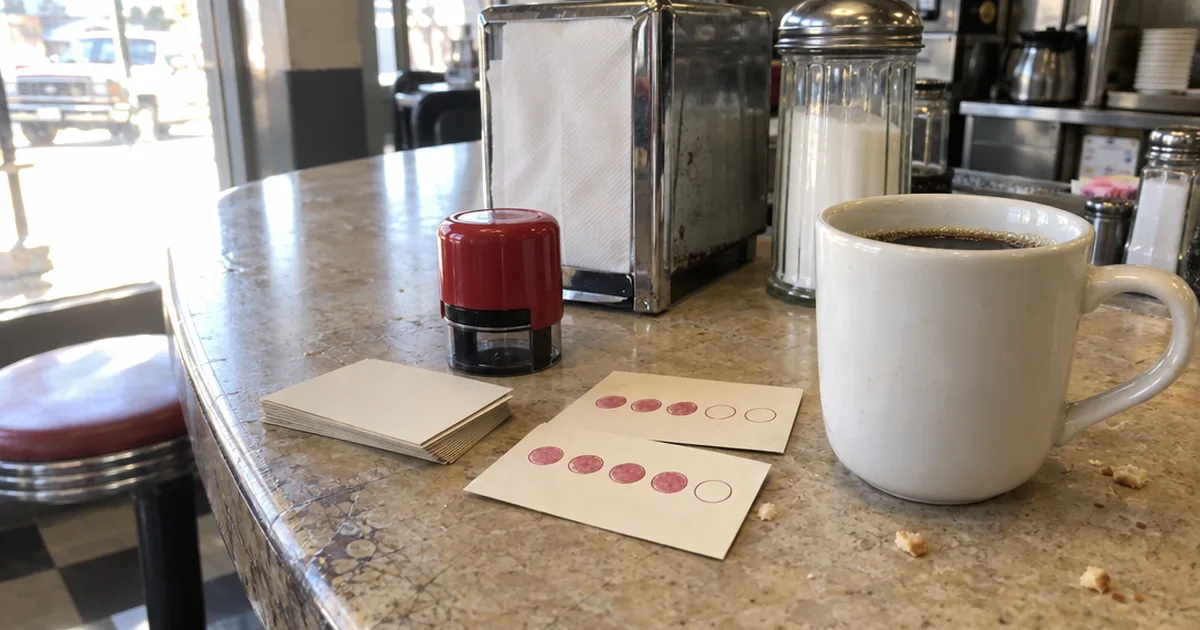
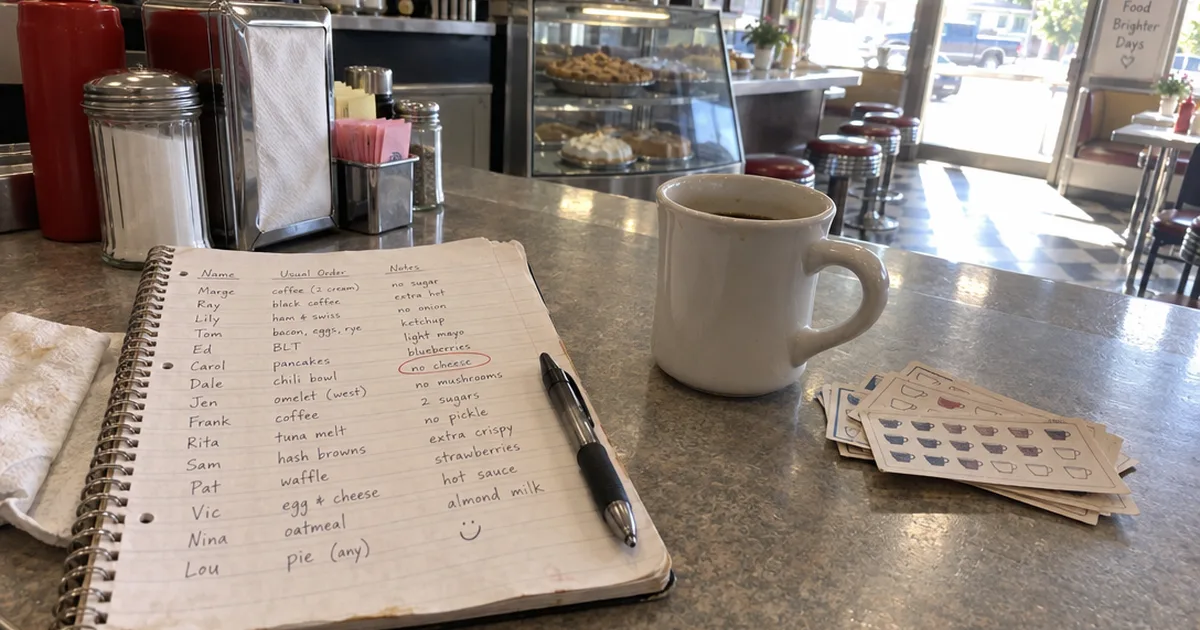
One restaurant CRM, SevenRooms, says it tracks over 100 data points on every guest. You don’t need anywhere near that many to start.
A name, a usual order, an allergy and a phone number cover most of what customer relationship management in a restaurant does. They only pay off when staff write them down and look them up before the guest’s next visit.
The tools can cost nothing, and the habit is what makes them work. You can set both up this week, starting with a shared spreadsheet or a digital loyalty card that doubles as a starter CRM.
What Is Customer Relationship Management in a Restaurant?
Customer relationship management in a restaurant means keeping each guest’s details, like visits, favorite dishes, allergies and birthdays, and using them to improve the next visit and bring the guest back.
The term usually gets shortened to CRM, and it means two things at once.
Customer relationship management is a practice: the habits your staff follow to know and look after guests.
It’s also a category of software that stores those details so nobody has to keep them in their head.
CRM Is a Habit Before It’s Software
A restaurant CRM only works if someone writes things down and someone else reads them later.
Think of the server who remembers that a Friday regular wants extra lime and no ice.
That’s CRM at work, with no software at all.
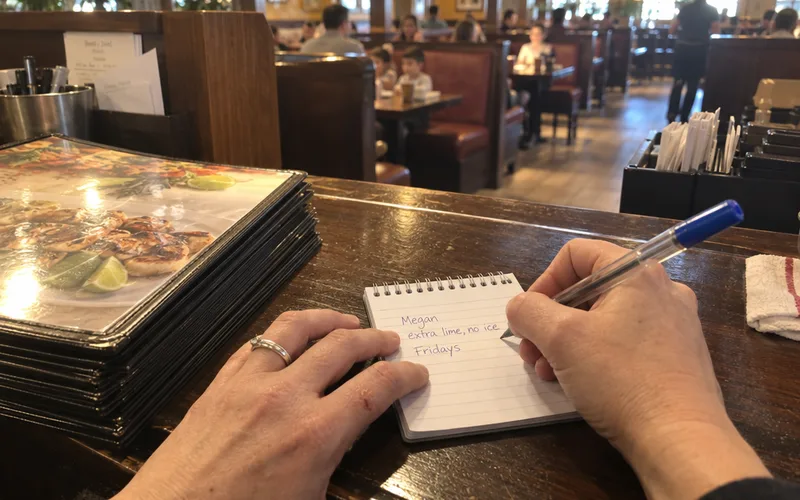
The trouble starts when that server quits, or when you have 300 regulars instead of 30.
Software fixes that problem by keeping the memory in one shared place, so I recommend building the habit first and adding the tool second.
What a Restaurant CRM Keeps on Each Guest
A restaurant CRM keeps a guest profile: one record per guest with contact details, visit history, usual orders, allergies, special dates and staff notes.
Large platforms collect a lot.
SevenRooms’ product page says it builds guest profiles with over 100 data points per guest, from dining preferences and order history to live point-of-sale spend.
Simpler tools focus on the basics.
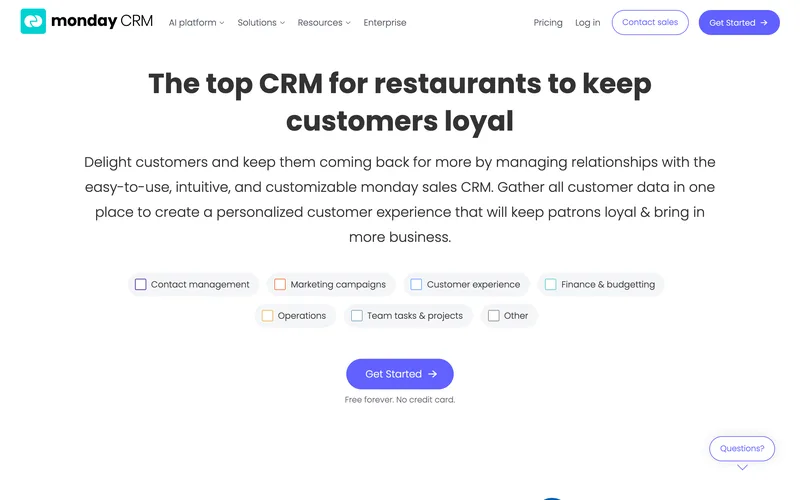
On its restaurant CRM page, monday.com lists a contact database for birthdays, allergies and order history.
For a small restaurant, these 6 fields cover most of what you’ll use:
- Name so staff can greet the guest properly
- Phone or email with a note of whether they agreed to hear from you
- Visit count or last visit date so you can spot regulars and lapsed guests
- Usual order so a server can ask “The usual?”
- Allergies and dietary needs so the kitchen sees them every time
- Birthday or anniversary so you have a reason to reach out
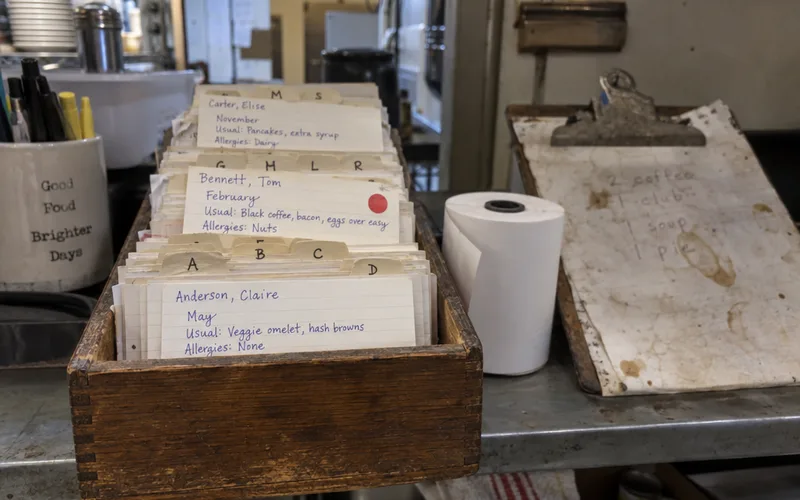
Everything else is a bonus.
If you don’t have a use for a field yet, leave it out. As your list grows, learn how to sort and protect your restaurant customer data.
Why Customer Relationship Management Matters for Restaurants
Customer relationship management matters for restaurants because it helps turn first-time diners into regulars. Staff get the details to personalize each visit, and you get a direct way to invite guests back.
It’s the core of any plan for restaurant customer retention.
There’s also a question of who owns the guest.
When a diner orders through a third-party app, the app keeps the relationship and you get a ticket.
When the guest’s details sit in your own records, you can reach them directly.
Ashley Keeney, Director of Administration at Mina, put it plainly in a quote on SevenRooms’ product page: the philosophy is “it’s our guests, our data.” She added that the group now has over 1 million clients in its CRM database.
You won’t reach a million.
But the idea works for a 40-seat diner too. Owning the customer relationship lets you fill a slow Tuesday without paying an app.
What CRM Does for Front-of-House Staff
A restaurant CRM shows hosts and servers a guest’s notes before the guest sits down. They can greet a regular by name, offer their favorite table and mention last visit’s dish.
That’s the part of CRM guests actually notice.
Say the screen shows “third visit this month, likes a booth.” The host can say “Welcome back, your booth’s ready” instead of “Table for two?”
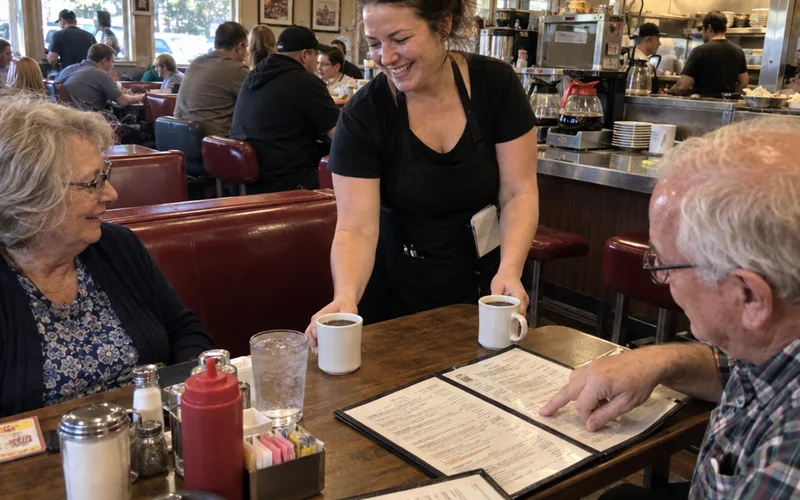
And because the note lives in the system, it works on the server’s day off too.
The same goes for problems.
Say a guest’s last meal came out cold and you comped dessert. A note tells the next server to check in early, so a near-miss becomes a reason to return.
The 3 Types of CRM
The 3 types of CRM are operational, analytical and collaborative, and a restaurant CRM usually mixes all three in one tool.
Here’s what each one does in a restaurant:
- Operational CRM runs daily guest contact: bookings, waitlists, birthday messages and reminders.
- Analytical CRM looks for patterns in guest data, such as which regulars have stopped coming or which dish brings people back.
- Collaborative CRM shares guest notes across the team, so the host, the server and the kitchen all see the same allergy flag.
So which type does a small restaurant need?
Mostly operational, with a little collaborative.
You need a way to send the right message at the right time and a shared place for notes.
The heavy analysis can wait until you have a few hundred guests on file.
Restaurant CRM Examples You Can Copy
Restaurant CRM examples are everyday moves that use saved guest details, like greeting a regular by name, flagging an allergy or texting a birthday offer.
Each one below works with a spreadsheet just as well as with software.
The Regular’s Usual
When a guest has ordered the same thing 3 visits in a row, note it.
Next time, the server can ask “Same as last time?” and the guest feels known.
The Allergy Flag
Write a guest’s allergy into their profile once, and make it show on every ticket.
That one note protects the guest and saves the kitchen from asking again.
The Birthday Offer
Ask for a birthday month at sign-up, not the full date, and send an offer at the start of that month.
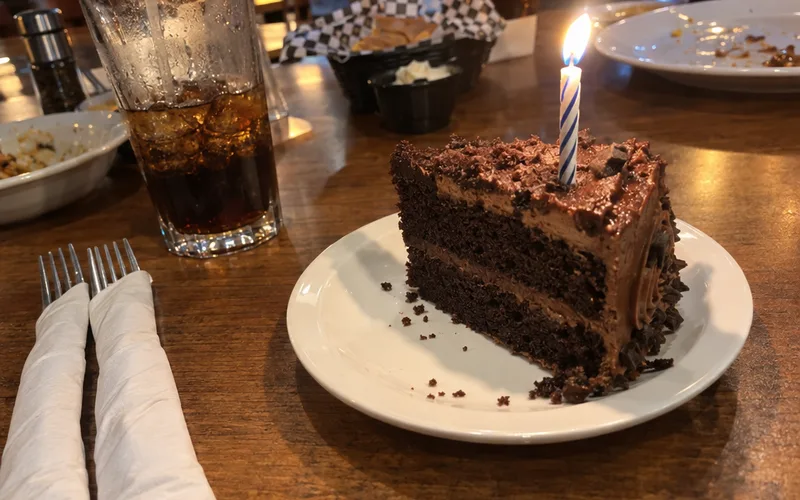
I’d offer a free dessert with a main, since birthdays are rarely celebrated alone. Set it to send on its own at the start of each month, then track how many guests use it.
A birthday month fits in one spreadsheet column, so this offer works even before you pick any software.
The Win-Back Message
Pull a list of guests who haven’t visited in 60 days and send them a short, friendly note.
Keep it warm, not desperate. A plain lost customer letter or text that says you miss them, plus a small reason to return, is enough.
Here’s what to send:
“Hi Sam, it’s been a while since your last visit to Rosa’s Diner. Your next coffee is on us this week. Just show this text at the counter.”
Swap in your own name and offer, and send it from the same number guests already know.
The Slow-Night Invite
Tag guests who usually come in on weekends and invite them on a quiet weeknight.
That’s restaurant customer segmentation in its simplest form: the right offer to the right group, instead of the same blast to everyone.
How to Set Up Customer Relationship Management in a Small Restaurant
You set up CRM in a small restaurant in 6 steps: pick what to track, choose one place for it, ask guests to join, record visits, show staff the notes and act on the list weekly.
Work through them in this order.
Pick 3 to 6 Details to Track
Start with the fields from the list above and cut anything you won’t use in the next month.
Fewer fields mean staff actually fill them in.
Choose One Place for the Records
Pick a single home for guest records: a shared spreadsheet, your POS customer profiles, your loyalty program or a CRM tool.
Two places means two half-finished lists, so commit to one.
Ask Guests to Join
Give guests a clear reason to share their details, like a stamp on a loyalty card toward a free item or a birthday treat.
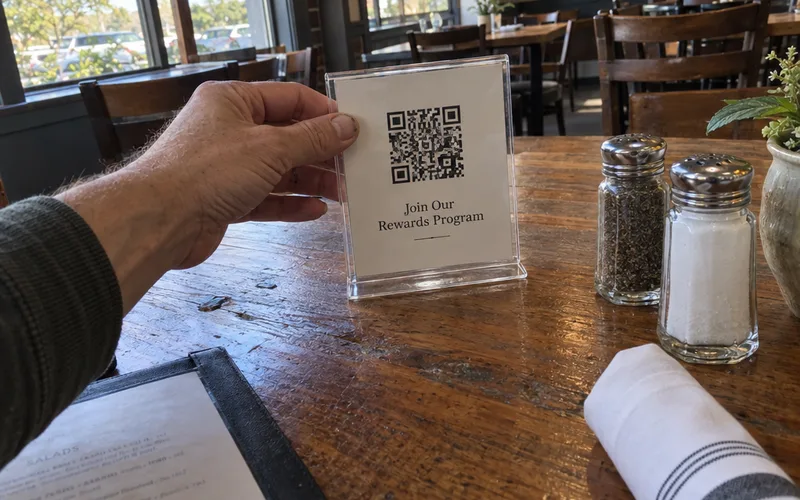
Put a QR code on tables and receipts, and have staff say one line at the register: “Want to join our rewards? You’ll get a free coffee on your 10th visit.”
Always ask before you send marketing texts or emails, and keep a note of who said yes.
Record Every Visit
A profile is only as good as its visit history.
That’s why a loyalty card or a POS that records each visit is so useful: the data fills in without extra work.
Show Staff Where the Notes Live
A guest record only helps if the people on the floor know how to read it and add to it.
Spend 10 minutes at a pre-shift meeting on where notes go and what to write. Make clear what never goes in, like comments on a guest’s looks or tips.
Keep the rule simple: if a note would help the next server look after this guest, add it.
Act on the List Every Week
Set a 15-minute slot each week to check birthdays, lapsed guests and new regulars.
Then send one message, and greet one regular by name before they ask.
The weekly check is the step that turns stored guest data into return visits.
Restaurant CRM Options and What They Cost
Restaurant CRM options run from free tools, like a shared spreadsheet or monday.com’s free plan, to full platforms like SevenRooms, which asks you to book a demo for pricing.
This table compares the main options for a small restaurant:
| Option | What it tracks | Cost | Best for |
|---|---|---|---|
| Shared spreadsheet | Anything you type in | Free | Tiny teams testing the habit |
| POS customer profiles | Visits and spend | Check your POS plan | Counter service |
| Digital loyalty card | Visits, rewards, contacts | Varies by service | Repeat visits |
| monday sales CRM | Contacts, birthdays, allergies | Free plan | Owners who like boards |
| SevenRooms | 100+ data points per guest | Demo for pricing | Busy full-service rooms |
The restaurant CRM page from monday.com advertises its sales CRM as “Free forever. No credit card.”, which makes it a low-risk way to try a real CRM.
The catch is that a general tool like that won’t record visits from your POS on its own, so someone still has to enter them.
What to Look For in a Restaurant CRM
A good restaurant CRM connects to your current tools, records visits on its own, sends messages on a schedule and lets you take your guest list if you leave.
Check these 5 things before you sign up for anything:
- POS or loyalty connection: visits and spend should flow in without anyone typing them.
- Guest notes on the floor: hosts and servers need to see allergies and preferences during service, not just in an office report.
- Automatic messages: birthday, welcome and win-back messages should send on their own once you set them up.
- Opt-in records: the tool should show who agreed to texts or emails and when.
- Data export: you should be able to download your guest list at any time.
That last point matters more than it looks.
SevenRooms’ product page lists the option to export guest data or specific segments. Any tool you pick should do the same, so your regulars stay yours.
Which CRM Fits Your Restaurant?
The right restaurant CRM depends on how guests order and how many regulars you have.
- Counter service, pizzeria or taqueria: start with your POS customer profiles plus a digital punch card, since most guests never book a table.
- Small full-service restaurant: a reservation tool with guest notes, such as OpenTable, already acts as a light CRM.
- Busy full-service restaurant or group: a dedicated platform like SevenRooms makes sense once you have staff to run campaigns.
If your POS is Toast or another restaurant system, check which guest and loyalty features your plan includes before you add another tool.
For a side-by-side look at reward tools, see these restaurant loyalty software picks.
Is a POS System the Same as a CRM?
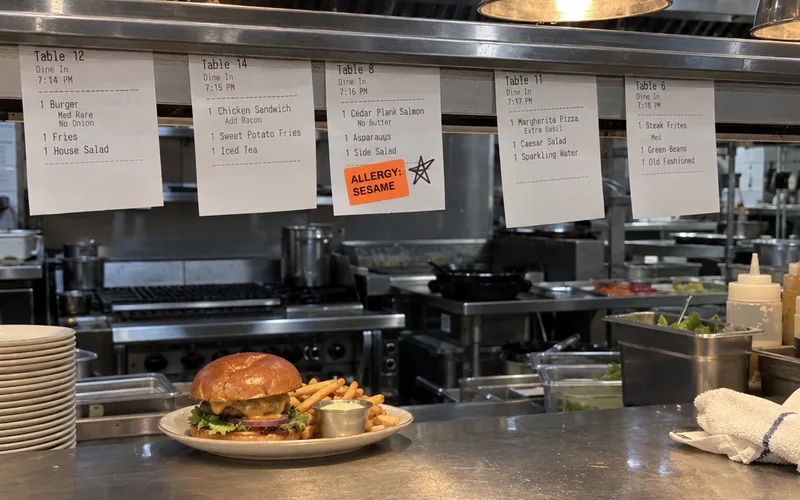
A POS system is not the same as a CRM. A point-of-sale system records each sale, while a CRM tracks each guest across many visits and helps you contact them.
A point of sale system knows that table 4 ordered two burgers.
A CRM knows that table 4 is Dana, who visits every other Friday and is allergic to sesame.
The two work best together.
SevenRooms, for example, says it tracks lifetime and itemized spend through 65+ point-of-sale integrations, so every sale lands in the right guest’s profile.
So before you shop for a CRM, check whether your POS already keeps guest profiles, since that may be enough for a small place.
How a Loyalty Program Works as a Starter CRM
A loyalty program works as a starter CRM because every stamp records a visit. Signing up also gives you the guest’s name and a way to reach them.
That makes a digital punch card one of the cheapest ways to start.
A guest saves the card to Apple Wallet or Google Wallet, and each visit adds a stamp without anyone typing anything.
You end up with a list of who comes in, how often and when they last visited.
From there you can send a reminder when someone is one stamp from a reward, which is a natural reason to get in touch.
If you’re weighing options, compare a paper card with a digital punch card before you commit.
The broader plan for restaurant customer loyalty, including which rewards to offer, sits on top of this same guest list.
How to Tell If Your Restaurant CRM Is Working
A restaurant CRM is working when your guest list keeps growing and more of those guests come back within a month or two.
Watch these numbers once a month:
- List growth: new guests who joined this month
- Repeat visit rate: the share of guests who came back within 30 or 60 days
- Offer redemptions: how many birthday and win-back offers were used
- Lapsed guests won back: guests who returned after a win-back message
List growth is the easiest of these to track from day one.
One customer result on SevenRooms’ product page reports a 400% increase in customer database in the first 5 months. That’s a vendor’s own figure for one client.
Your numbers will be smaller, and that’s fine.
What matters is the trend, so track your restaurant customer retention rate the same way every month and compare it with the last.
Once you know how often a regular visits, you can work out the lifetime value of a restaurant customer. That tells you what a win-back offer is worth.
Common Restaurant CRM Mistakes
The most common restaurant CRM mistakes are collecting data you never use, keeping notes in two places and sending every guest the same message.
Watch for these 5:
- Buying software before the habit exists. A CRM nobody updates is just an expensive empty list.
- Asking for too much at sign-up. A long form at the register gets skipped, so ask for a name and one contact detail.
- Messaging without permission. Record every opt-in, so you only send texts and emails to guests who asked for them.
- Blasting everyone. A weekend-brunch regular doesn’t need a happy-hour coupon, so split your list before you send.
- Hiding notes from the kitchen. An allergy saved in the host stand’s tablet but missing from the ticket helps no one.
Each of these has the same fix: keep it simple, keep it in one place and use it every week.
For the messages themselves, restaurant email marketing and restaurant text marketing cover what to send and how often.
Where to Start This Week
The big takeaway: CRM is a weekly habit first and software second.
This week, pick one place to keep guest records and ask your next 20 guests to join.
Frequently Asked Questions
What is the role of CRM in the hospitality industry?
The role of CRM in the hospitality industry is to keep each guest’s preferences, visits and contact details in one place so staff can personalize service and the business can invite guests back. In a restaurant that means knowing a regular’s usual order, flagging allergies and sending a birthday or win-back offer at the right time.
What are the different types of CRM software?
The three types of CRM software are operational CRM, which runs daily guest contact like reservations and messages, analytical CRM, which finds patterns in guest data, and collaborative CRM, which shares guest notes across a team. Most restaurant CRMs mix all three in one tool.
What is the best CRM for restaurants?
The best CRM for a restaurant depends on its size and service style. A single counter-service spot usually does best with the customer profiles in its POS plus a digital loyalty card, while a busy full-service restaurant that takes reservations gets more from a dedicated platform such as SevenRooms.
How do you manage customer relationships in a restaurant?
You manage customer relationships in a restaurant by collecting a few details about each guest with their permission, writing them down in one shared place and acting on them every week. Greet regulars by name, note allergies, send a birthday offer and reach out to guests who stop coming.
What are some examples of customer relationship management?
Examples of customer relationship management in a restaurant include a server greeting a regular with their usual order, a kitchen ticket flagged with a guest’s nut allergy and a birthday text with a free dessert. A message to guests who haven’t visited in 2 months is another common example.