Only one of the four loyalty card apps with published free terms keeps a free plan running with no end date: Loyalty Cards, which makes this blog. It’s free for up to 50 customers.
Two of the others stop being free after 14 days, and Stamp Me gives you 30 days, according to its own site. So if you’re hunting for free loyalty cards to run a loyalty program at a diner, pizzeria or taqueria, the word “free” needs a closer look.
Below are 7 options, ranked by how long each one stays free, with our own app first and the 3 that publish no free terms last. Each comes with its free terms and the catch.
Here’s a quick way to pick:
- Want a branded wallet card live this week, with no bill until you pass 50 customers? Start with #1.
- Running on zero budget with more than 50 regulars? A printed paper punch card is the only option here with no limit and no bill.
- If you want the card in your regulars’ phone wallets from day one, test #3.
- For restaurants that ring up every check on Square, #5 keeps rewards inside the register you already know.
The 7 Best Free Loyalty Card Apps at a Glance
Tap a button to open each company’s own page.
| # | App | Free terms | Card lives in | Visit |
|---|---|---|---|---|
| 1 | Loyalty Cards | Free plan, up to 50 customers | Apple or Google Wallet | Visit Site |
| 2 | Stamp Me | 30-day free trial | Stamp Me app | Visit Site |
| 3 | Passtastic | 14-day free trial | Apple or Google Wallet | Visit Site |
| 4 | Loyally.ai | 14-day free trial | Wallet or web app | Visit Site |
| 5 | Square Loyalty | Ask Square | Square checkout | Visit Site |
| 6 | Clavaa | Ask Clavaa | Phone number or email | Visit Site |
| 7 | SumUp Connect | Demo first | SumUp customer database | Visit Site |
How We Picked These Free Loyalty Card Apps
These picks were judged on what each company publishes on its own pages, not on hands-on lab testing:
- Free terms in writing. A free plan beats a free trial, and a longer trial beats a shorter one.
- Ease of use at the counter. Staff should add a stamp from a phone in a few seconds, with no new hardware.
- No app for the guest, where possible. A card that lands in Apple Wallet or Google Wallet skips one more download.
- A published price after the trial, so the bill never surprises you.
- Fit for restaurants, not online retail.
That last point is why Smile.io isn’t here, even though 3 competing lists include it: it’s built for online shops.
Loyalty Cards, which makes this blog, sits at #1. It’s also the only app here with a free plan, so the rules above put it first too.
The 7 Best Free Loyalty Card Apps Reviewed
Each review follows the table’s order. You’ll get what the app does, what stays free, what it costs after, and the honest catch.
1. Loyalty Cards [Best for AI-Designed Wallet Cards]
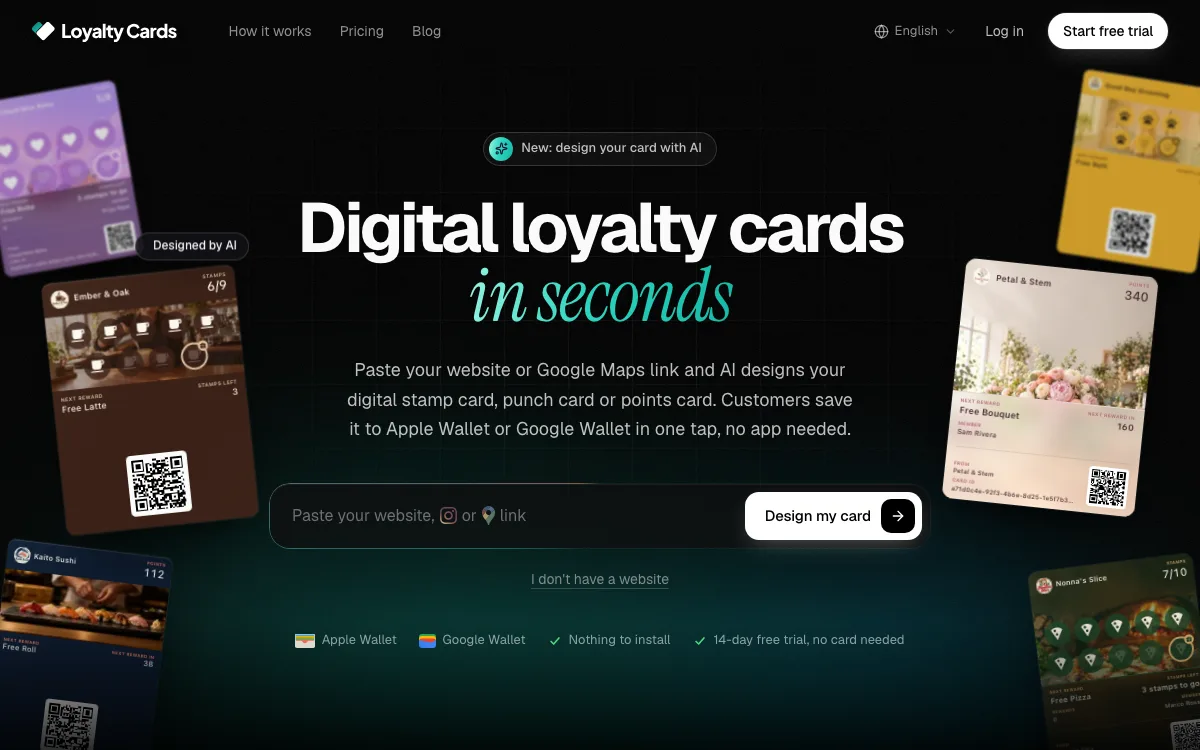
Loyalty Cards is the pick when you want a branded card in your regulars’ phone wallets this week, without paying until you outgrow the free plan.
Full disclosure: Loyalty Cards makes this blog, so weigh this pick with that in mind. Everything below comes from its own pricing page as of November 2026.
Paste your restaurant’s website or Google Maps link, and its AI designs the stamp card or points card, the artwork and the reward. You can also fill in the form yourself. Every new business starts on the Free plan, with no card needed and no end date.
Here’s how it works for a guest:
- They scan your QR code with the phone camera.
- They join in one tap with Google or Apple, or with an email. Joining with a phone number comes with the paid plans.
- The card saves straight to Apple Wallet or Google Wallet, with no app and no password.
At the counter, staff open the Loyalty Cards app on a phone and scan the card. One tap adds a stamp, or type what the guest spent to add points, and the card updates in seconds.
What’s the catch?
Free covers up to 50 customers, 1 location and 1 team member. The AI designs your first card, and changing it with AI later comes with the paid plans. Free leaves out push notifications, automations, referrals and phone sign-up, and the back of the card says “Powered by tryloyaltycards.com”.
At 50 customers, everyone who joined keeps their card and keeps earning, but new guests can’t join until you upgrade. Plus costs $30 a month, or $25 a month billed yearly, with unlimited customers, unlimited push notifications to the wallet pass, 1 location and 5 team members. Pro costs $72 a month, or $60 a month billed yearly, and covers 3 locations.
Compared with Passtastic (#3), which stops being free after 14 days, Loyalty Cards stays free with no end date, designs the card for you and posts its US price up front.
In other words, Loyalty Cards is the one to start with when you want a branded wallet card live this week and no bill until you need room for more than 50 customers.
| Loyalty Cards at a Glance | |
|---|---|
| 📱 What It Does | AI-designed stamp and points cards for phone wallets |
| 🎁 Free Option | Free plan for up to 50 customers, no end date |
| 💰 Paid Plans | Plus $30/mo ($25 billed yearly), Pro $72/mo ($60 billed yearly) |
| 💳 Card Lives In | Apple Wallet or Google Wallet |
| 🎯 Best For | Restaurants that want a branded wallet card fast |
2. Stamp Me [Best for the Longest Free Trial]
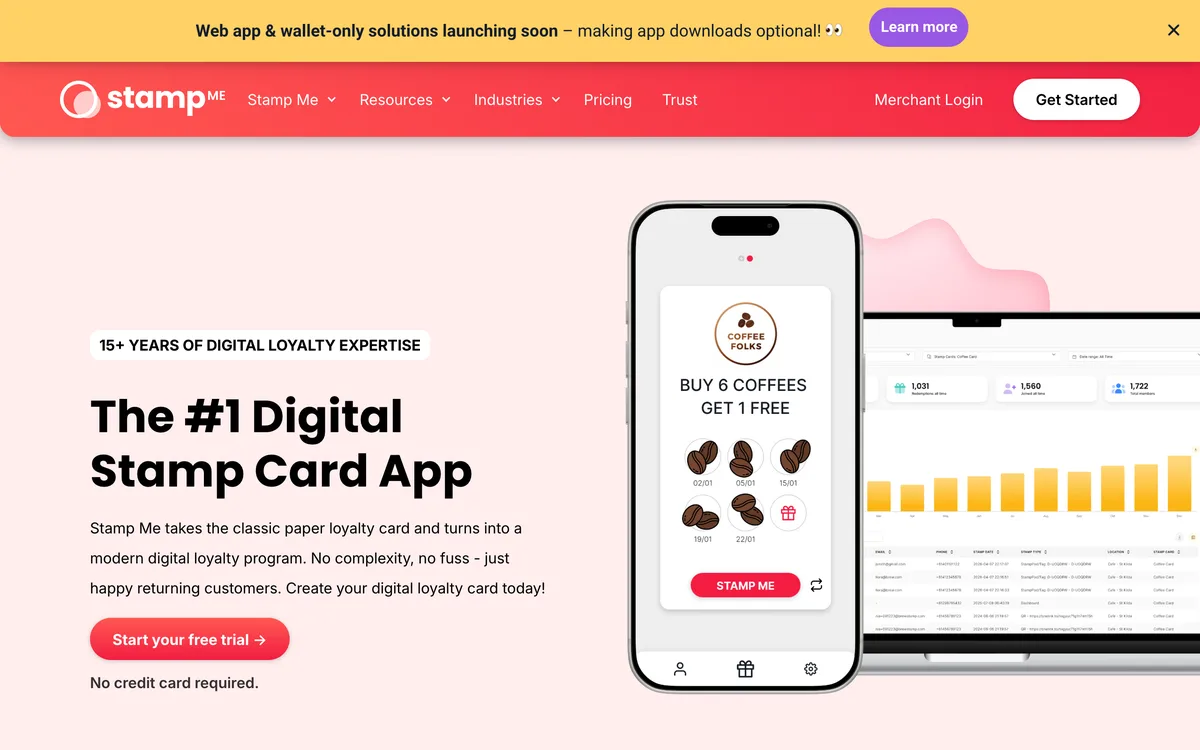
Stamp Me gives you the longest trial here, which suits owners who want a full month of real stamps before they pay.
You can build the card for free with no credit card. Then, according to Stamp Me’s own site, publishing your first stamp card starts a 30-day free trial.
Here’s the part to know before you print a sign:
Stamp Me’s site says customers first download the Stamp Me app to create an account and join your program. After that, they can save a Member Code to their digital wallets for quicker checkout.
That’s one more step for your guests than Passtastic (#3), where the card adds itself to the wallet with no app.
Stamp Me makes up for it at the counter. You can stamp with a tap-and-go StampPod on the counter, Stamp Tags your staff carry, or by hand in the web Loyalty Portal.
Rewards can fire on a purchase, a birthday, a sign-up, a lapsed visit or at random. The company says its businesses report 15-30% more customer visits, a claim from its own 2024 Stamp Me Customer Success Survey.
| Stamp Me at a Glance | |
|---|---|
| 📱 What It Does | Digital stamp card with tap-to-stamp options |
| 🎁 Free Option | 30-day free trial after you publish |
| 💰 Paid Plans | Paid plan after the trial |
| 💳 Card Lives In | Stamp Me app, Member Code in Wallet |
| 🎯 Best For | Busy counters that want tap-and-go stamps |
3. Passtastic [Best for Wallet Cards With No App]
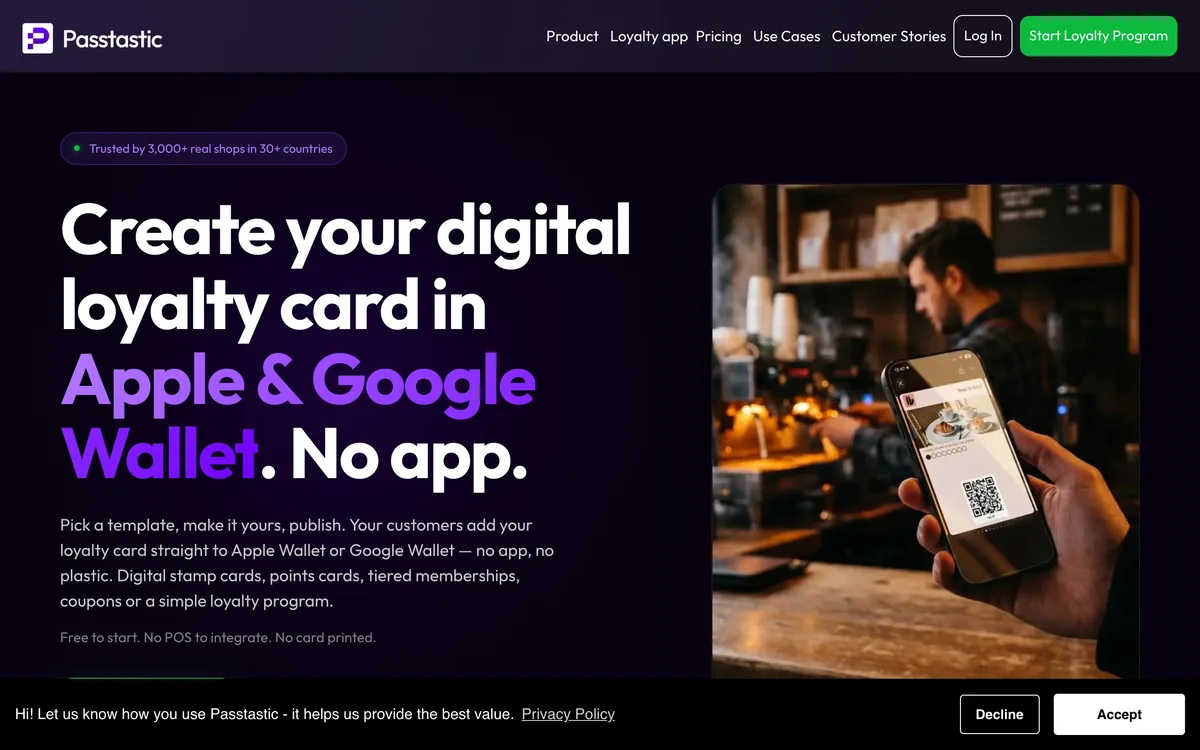
Passtastic is the best fit when you want the card in your guests’ phones on day one, with no app to download.
Passtastic’s card builder page says the card is free to design, with a 14-day free trial and no credit card required, as of October 2026. The trial starts when you publish.
Here’s how it works for a guest:
- They scan the QR code on your counter with the phone camera.
- The card adds itself to the phone’s wallet, with no app and no account.
- Your staff open the free scanner on any phone or iPad and add a stamp with one tap.
You can pick a stamp card, a points card, a tiered VIP membership, a coupon or a simple flat reward. Passtastic also connects to Square and Lightspeed registers, so stamps or points can post when a guest pays.
Automated push notifications for birthdays, win-backs and ready rewards keep customer engagement going between visits. Passtastic also says its data is EU-hosted and GDPR-ready, and the customer relationship stays yours.
Passtastic says 3,000+ businesses in 30+ countries run their loyalty on it. One record cafe in its case study, Rewind in Bucharest, handed out about 600 cards in four months and enrolled about 80% of its customers.
Nice.
The catch is time. Fourteen days is short, so publish only when you’re ready to promote the card hard for 2 weeks.
| Passtastic at a Glance | |
|---|---|
| 📱 What It Does | Stamp, points, membership and coupon cards |
| 🎁 Free Option | Free to design, 14-day trial on publish |
| 💰 Paid Plans | Listed on its pricing page |
| 💳 Card Lives In | Apple Wallet or Google Wallet |
| 🎯 Best For | Restaurants whose regulars live on their phones |
4. Loyally.ai [Best Published Price After the Trial]
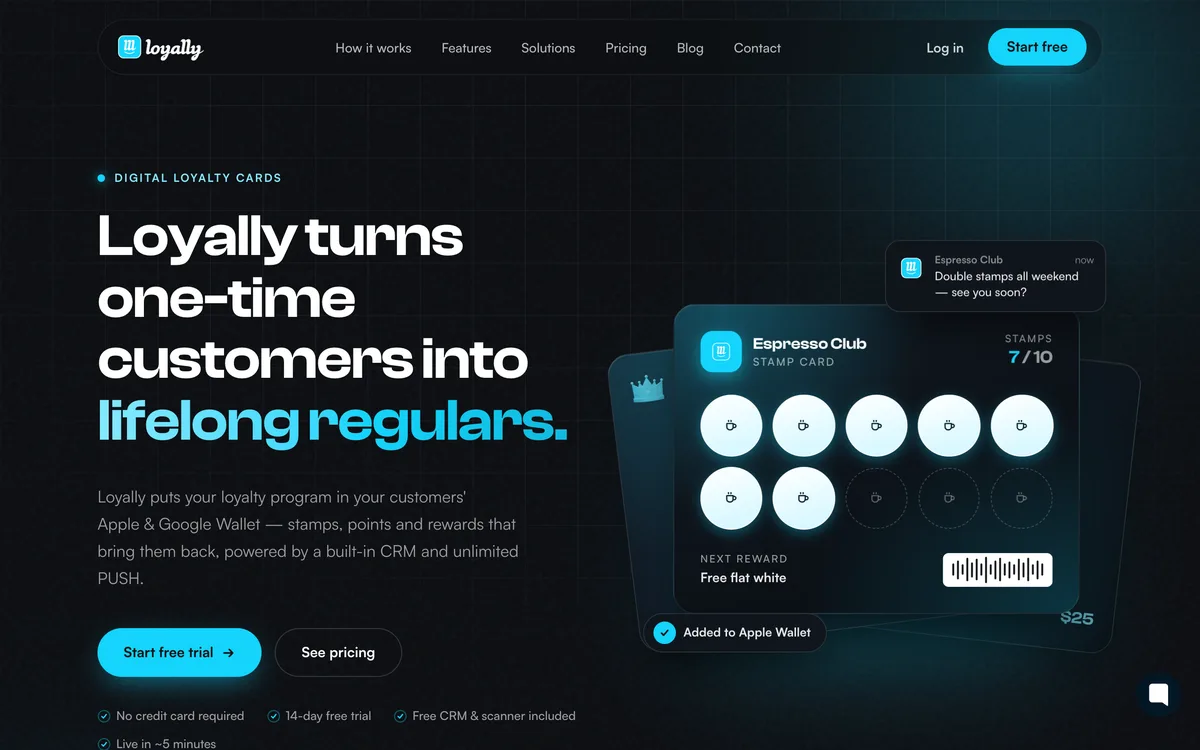
Loyally.ai is the pick for owners who want to know the exact bill before the trial ends.
It runs a 14-day free trial, like Passtastic. The difference is the price tag: as of October 2026, Loyally.ai’s own pricing publishes a Starter price, billed yearly or monthly, with unlimited customers and visits.
Starter covers 1 location and 1 active promotion, with unlimited push notifications, a built-in CRM, analytics on customer behavior, visits and rewards, and the scanner app. Growth covers 3 locations, handy when management is split across a few restaurants.
Cards go straight to Apple Wallet or Google Wallet, or open as a web app on the phone. Loyally.ai offers 8 card types, from stamp and points cards to cashback, coupons, multipass and gift cards, plus 100+ templates.
Compared with Passtastic, the trial length is the same. Loyally.ai simply shows you the US price up front.
| Loyally.ai at a Glance | |
|---|---|
| 📱 What It Does | 8 digital card types with a built-in CRM |
| 🎁 Free Option | 14-day free trial |
| 💰 Paid Plans | Starter and Growth, billed yearly or monthly |
| 💳 Card Lives In | Apple or Google Wallet, or web app |
| 🎯 Best For | One-location restaurants that want a fixed price |
5. Square Loyalty [Best for Restaurants Already on Square]
Square Loyalty makes sense only if Square is already your point-of-sale system.
It lives inside Square’s checkout, so guests earn points for a visit or for every dollar they spend while your server rings up the check. There’s no separate scanner and no card to hand out.
Two of the 3 competing lists include it, but none of the pages researched for this article spell out Square’s free terms. So ask before you switch it on.
Here’s what to say to Square support: “I run one restaurant on Square. Is Square Loyalty free on my plan, and if not, what’s the monthly cost per location?”
If you’d rather keep a stamp card in the guest’s wallet, Passtastic (#3) connects to a Square register and posts stamps when guests pay.
The rule is simple: on Square already, ask about Square Loyalty first; not on Square, skip it.
| Square Loyalty at a Glance | |
|---|---|
| 📱 What It Does | Points for visits or spend at checkout |
| 🎁 Free Option | Ask Square for your plan's terms |
| 💰 Paid Plans | Priced by Square |
| 💳 Card Lives In | Square checkout, by phone number |
| 🎯 Best For | Restaurants already running Square |
6. Clavaa [Best for Rewards Tied to Payments]
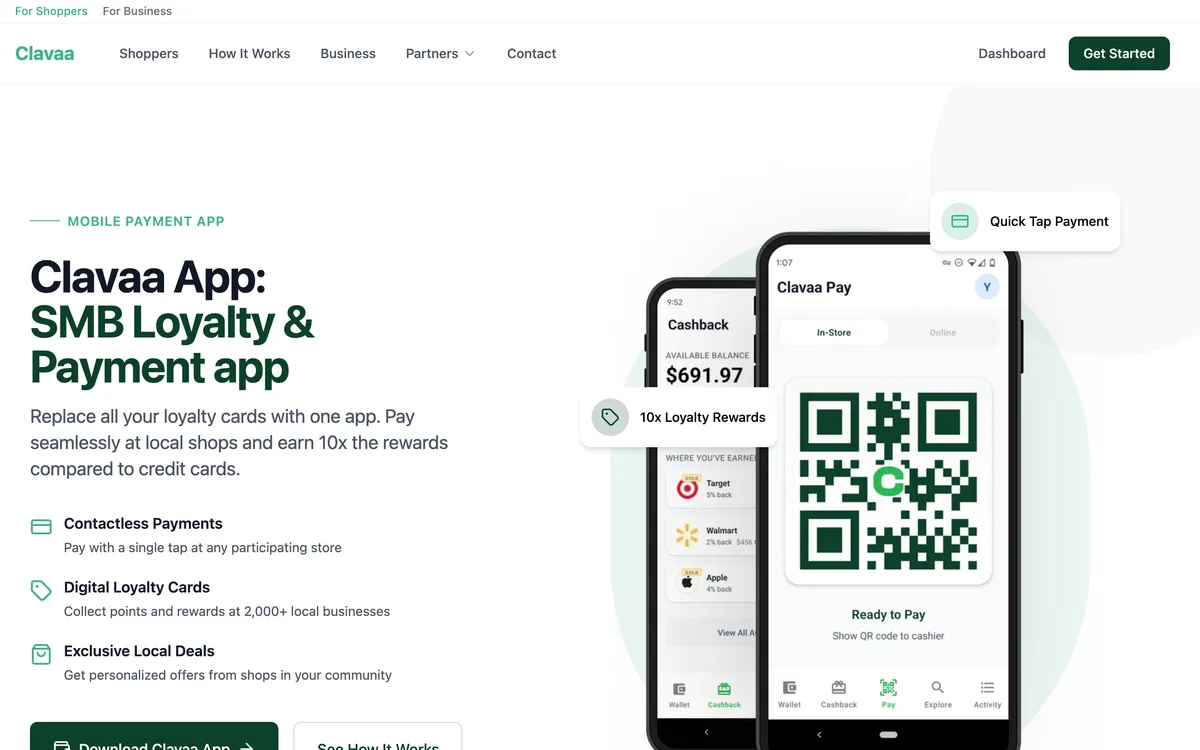
Clavaa ties rewards to payments, so purchases count toward rewards without an extra step at checkout.
Guests join with a phone number or an email, and the rewards and updates go out by SMS or email. That suits a small cafe or counter-service spot where nobody has time to hunt for a card.
Like Square, Clavaa doesn’t have free terms in the research for this list, so ask what’s free before you move your payments.
Here’s what to send: “I run one cafe. If I use Clavaa for payments and loyalty, what do I pay per month and per transaction?”
Compared with Square Loyalty, the big difference is the switch itself: moving payment processors is a bigger change than adding a stamp card. Pick Clavaa only if you’re already shopping for a new way to take payments.
| Clavaa at a Glance | |
|---|---|
| 📱 What It Does | Loyalty built into payment processing |
| 🎁 Free Option | Ask Clavaa for current terms |
| 💰 Paid Plans | Priced by Clavaa |
| 💳 Card Lives In | Guest's phone number or email |
| 🎯 Best For | Cafes changing how they take payments |
7. SumUp Connect [Best for Automatic Win-Back Messages]
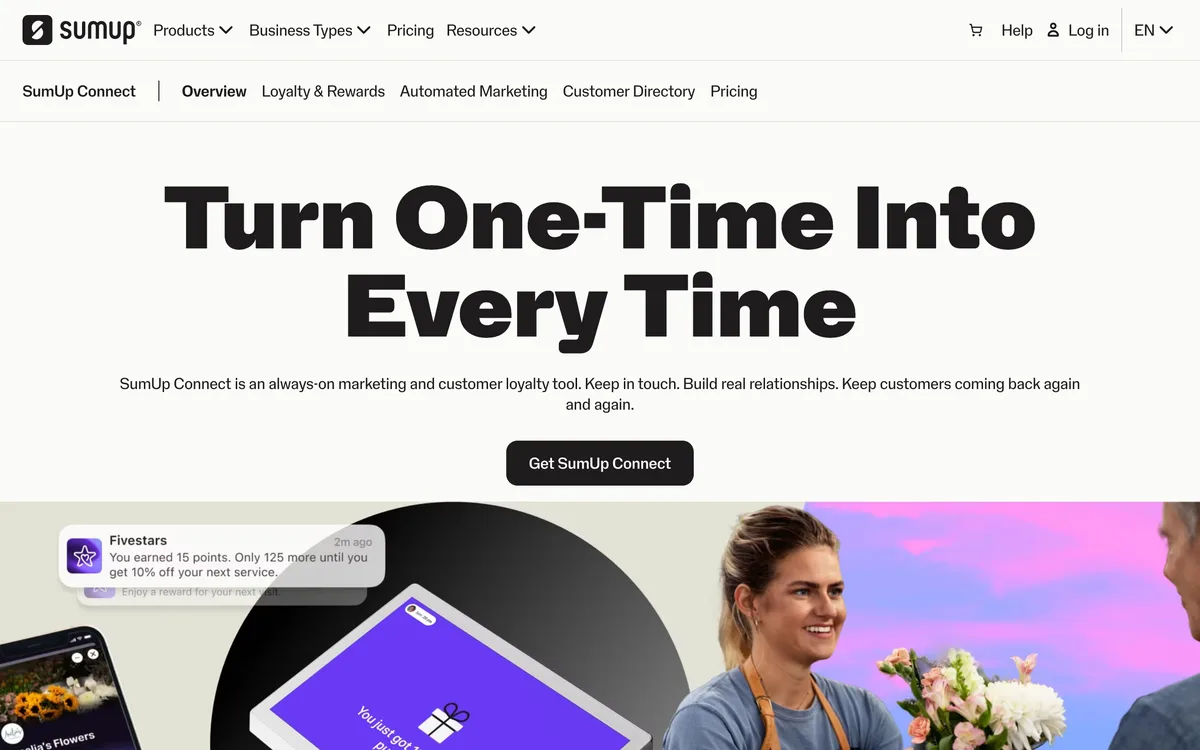
SumUp Connect is the pick when you care more about messages that bring lapsed guests back than about the card itself.
SumUp’s own product page calls SumUp Connect an always-on marketing and customer loyalty tool. It lists AutoPilot Messaging, AI-Enhanced Messages, a customer database and loyalty and rewards.
It also has a Review Boost feature that invites happy guests to leave a review and offers a reward as a thank-you.
The catch is the front door. The page’s main path is a demo request form asking for your business type, monthly revenue and point-of-sale system, so expect a sales call before you see a price.
That makes it the least “free” option here. Compared with Loyally.ai (#4), you trade a published price for more hands-on help.
Here’s what to ask on the demo call: “What does SumUp Connect cost each month for one restaurant, and is there a contract or a free period?”
| SumUp Connect at a Glance | |
|---|---|
| 📱 What It Does | Loyalty plus automated marketing messages |
| 🎁 Free Option | Demo first, terms by request |
| 💰 Paid Plans | Quoted after the demo |
| 💳 Card Lives In | SumUp customer database |
| 🎯 Best For | Owners who want win-back texts on autopilot |
Free Plan vs. Free Trial: What Actually Stays Free
A free plan keeps working with no end date, while a free trial switches off or asks for payment after a set number of days. Loyalty Cards is the only app in this list with a free plan, for up to 50 customers. Stamp Me gives 30 days, and Passtastic and Loyally.ai give 14.
Why does that matter so much for a restaurant?
Because a loyalty card only helps customer retention once regulars are halfway to a reward. A guest who comes in once a week needs about 2 months to fill a 9-stamp card, longer than any trial here. A free plan or a paper card gives the card that time.
That slow build is where customer lifetime value comes from, so judge a card over months, not days.
If you pick a trial app, plan the trial around a real test, not a demo.
Here’s a simple 14-day plan:
- Days 1-2: set up the card, print the QR sign and train every server.
- Days 3-12: offer the card at every check and count sign-ups each night.
- Days 13-14: decide. Keep it and pay, or move your regulars to a free plan or a printed punch card before the trial ends.
Before you publish anything, send the vendor one question.
Here’s what to ask: “If I don’t upgrade when the trial ends, what happens to my customers’ cards and the stamps already on them?”
Get that answer in writing, because your guests will blame you, not the app, if their stamps disappear.
Do Customers Need an App for a Digital Loyalty Card?
Customers don’t need a separate app for most digital loyalty cards in this list, because Loyalty Cards, Passtastic and Loyally.ai put the card straight into Apple Wallet or Google Wallet. Stamp Me is the exception: its site says guests first download the Stamp Me app.
That difference shows up at the counter.
A wallet card takes one scan and one tap, and it sits next to the guest’s bank cards, which keeps customer experiences smooth at a busy register. A mobile app asks for a download, an account and a password, and some guests will say “next time.”
Passtastic’s builder page says guests scan with the phone camera and the card adds itself to Apple Wallet or Google Wallet, with no app and no account.
If you want the full picture of how a wallet pass looks and updates, the basics of an Apple Wallet loyalty card walk through it. You can also share the steps for adding loyalty cards to Apple Wallet with guests who get stuck.
Key Takeaway: For older or less techy regulars, a wallet card with no app beats an app every time.
How Customers Collect Stamps on a Free Digital Card
Customers collect stamps on a free digital loyalty card by showing the card at checkout while a staff member scans it or taps “add stamp” in the vendor’s free scanner app. Loyalty Cards, Passtastic and Loyally.ai all run that scanner on any staff phone, so you buy no new hardware.
Here’s what a normal check looks like:
- The server drops the check and asks, “Do you have our card?”
- The guest opens the phone’s wallet and holds up the card.
- The server scans it with the scanner app, and the stamp shows up right away.
Stamp Me adds two faster options for busy counters: a StampPod that guests tap their phone on, and Stamp Tags your staff carry.
The weak spot is staff habits, not software. If servers forget to offer the card on a slammed Friday, sign-ups stall.
So put a QR code on the receipt too. That way, guests who weren’t asked can still join on the way out.
The Truly Free Option: Printable Paper Punch Cards
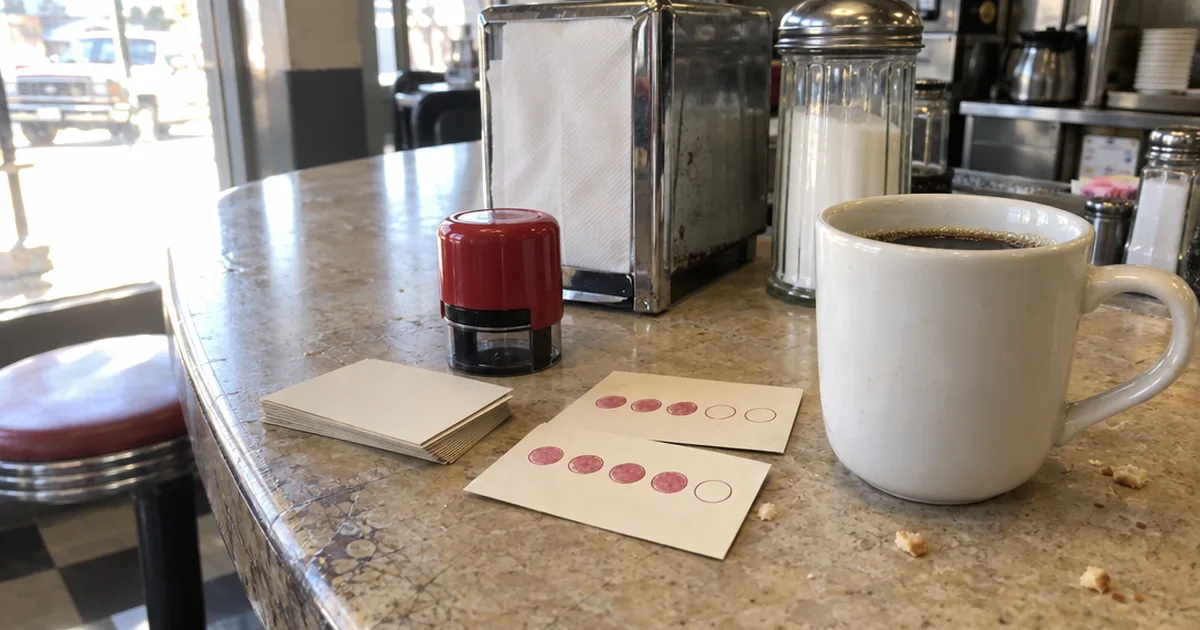
A printable paper punch card is the only loyalty card that stays free at any size, because it costs nothing but paper, ink and a stamp. Free templates in Canva or Microsoft Word get you a design in an afternoon.
Paper still works at diners and taquerias where regulars pay cash and rarely pull out a phone, and for any small business testing a reward before buying software.
The trade-off is customer data. A paper card can’t email a guest who’s one stamp from free tacos, and it gets lost in a wallet or washed in jeans.
Here’s a quick checklist before you print:
- Keep it business-card size so it fits in a wallet.
- Ask for a matte or uncoated back so ink stamps don’t smear.
- Print your name, the reward and the stamp count big enough to read across a counter.
- Buy a custom self-inking stamp, so nobody fakes a punch with a pen.
For layouts that look sharp on cheap cardstock, borrow from these loyalty card design ideas. And when you’re ready to compare paper, plastic and wallet cards side by side, the full guide to loyalty cards for small business covers costs and stamp counts.
Many owners start on paper, then move to a digital punch card once they know which reward brings regulars back.
How to Launch a Free Loyalty Card This Week
You can launch a free loyalty card in about a week: pick one reward, design the card, print a QR sign, train your staff and give the card to every guest for 7 days. The order matters, because a card nobody offers never fills up.
Here’s the “one card, one week” plan:
- Pick the reward. Choose a food or drink that’s cheap for you but feels generous to a guest, like a free dessert or coffee. These punch card reward ideas help you price it.
- Design the card. Add your logo, brand colors and the stamp count. Keep it short enough that a weekly regular can finish it in a couple of months.
- Print the QR sign. Put the card’s sign-up QR code on the counter, in the window and on receipts. Loyalty Cards builds a print-ready page for your card on every plan. Post the same sign-up link on social media.
- Train the team. Show every server the scanner app and give them one line to say at the table: “Want a free stamp toward your next dessert?”
- Count sign-ups daily. Write the number on the kitchen whiteboard. Staff offer the card more when they see the count climb.
- Set a trial reminder. If you picked a trial app, put a reminder on your phone 3 days before it ends, so you decide on purpose instead of by surprise.
If you’d like a bigger plan with tiers and rules, this walkthrough on how to create a loyalty program goes deeper.
Which Free Loyalty Card Fits Your Restaurant?
The right free loyalty card for a small restaurant depends on how your guests pay, whether they use phone wallets and whether you’ll pay after month one. Only Loyalty Cards’ Free plan, up to 50 customers, and a printed punch card stay free with no end date.
Match your restaurant to the closest line:
- Cash-heavy diner with older regulars: a printed punch card.
- Restaurant that wants a branded wallet card this week: Loyalty Cards, since its AI designs the card from your website and Free covers your first 50 regulars.
- Counter-service cafe or bakery with a long line: Stamp Me, because a tap-and-go StampPod keeps stamping fast.
- Pizzeria or taqueria with younger regulars: Passtastic, since the card lands in their digital wallets with no app.
- Family restaurant that wants a fixed monthly bill: Loyally.ai’s Starter plan, billed yearly.
- Any restaurant already on Square: ask about Square Loyalty first, then compare it with Passtastic’s Square connection.
What if two lines fit?
Start with the one that’s free longest, then switch only if guests or staff push back. A free card you launch this week beats a perfect card you’re still comparing next month.
Free Loyalty Card Tools We Left Off This List
Smile.io, Loopy Loyalty and Cockato are free loyalty card tools that didn’t make this list, because Smile.io targets online stores and the other two had no free terms confirmed in this research. Here’s who each one suits:
- Smile.io runs points and referral program tools for online shops, and all 3 competing lists include it. Skip it unless you sell mostly online.
- Loopy Loyalty makes digital stamp cards for phone wallets. Check its own pricing page for current free terms.
- Cockato appears in Google’s AI answer for this search as a free card builder. Its page wasn’t checked for this list, so confirm its limits before you rely on it.
When you outgrow free tools and need multi-location reporting, compare the paid restaurant loyalty software options instead.
The Bottom Line
Only one digital app here stays free for good: Loyalty Cards, for up to 50 customers. The other apps run trials or ask you to call for terms, so pick the one you can test hardest.
Loyalty Cards gets a branded wallet card live in minutes and free for your first 50 regulars, Stamp Me’s 30-day trial is the longest, and a printed punch card is the only option with no limit and no bill at all.
Pick one this week, print the QR sign, and count how many regulars join by Sunday.
Frequently Asked Questions
What is a loyalty card?
A loyalty card is a paper, plastic or digital card that tracks a customer’s visits or purchases and gives a reward, such as a free coffee, once it fills up. Digital versions live on the customer’s phone, often in Apple Wallet or Google Wallet.
Can I make a loyalty card for free?
Yes. Loyalty Cards’ Free plan runs a wallet loyalty card for up to 50 customers with no end date, and a printed punch card is free to make and run at any size. Stamp Me, Passtastic and Loyally.ai let you build a digital card free, then charge after a 14- to 30-day trial.
Do free loyalty card apps limit how many customers you can have?
Usually, yes. Loyalty Cards’ Free plan covers up to 50 customers and its Plus plan lists unlimited customers as of November 2026, while Loyally.ai’s paid Starter plan listed unlimited customers in October 2026, so check the limit on the vendor’s own page before you print a sign.
Can customers sign up for a loyalty card online?
Yes, customers sign up for a digital loyalty card online by scanning your QR code or tapping your sign-up link. With Passtastic, the card then adds itself to Apple Wallet or Google Wallet with no app and no account.
Is there an app to store all loyalty cards?
Apple Wallet on iPhone and Google Wallet on Android store loyalty cards from many businesses in one place, as long as each business issues a wallet pass. Stamp Me works differently: its cards live inside the Stamp Me app.
Is a free loyalty card worth it for a small restaurant?
A free loyalty card is worth it for a small restaurant when staff can stamp it in a few seconds and the reward is easy to reach. Stamp Me says its businesses report 15-30% more customer visits in its 2024 survey, a company claim, so test one card for a month and count repeat visits.