One template library alone lists 42 restaurant designs. That’s Colorlib’s own count, and Wix, Framer and WordPress run their own galleries too.
So the hard part of choosing restaurant website design templates isn’t finding one. It’s picking a web design your small team can set up, update and keep running.
Below are 12 templates, ranked from the least setup work to the most. Each one comes with what’s built in, what it costs where the maker says, and who it fits.
Here’s a quick way to pick:
- #3 is built around pickup and delivery orders that run through your own site.
- Running a pizzeria? Slice Town (#5) was made for you, menu sizes and all.
- If you can’t spend a dime on the template, #4 is free and has separate menu and reservation pages.
- Anyone on staff who already knows WordPress can start at #8.
The 12 Best Restaurant Website Design Templates at a Glance
Tap a button to open each template’s own page.
| # | Template | Platform | Setup work | Visit |
|---|---|---|---|---|
| 1 | Wix Chef Restaurant | Wix | Drag-and-drop builder | Visit Site |
| 2 | Wix Fast Food Restaurant (Bold) | Wix | Drag-and-drop builder | Visit Site |
| 3 | Wix Italian Restaurant | Wix | Drag-and-drop builder | Visit Site |
| 4 | Qitchen | Framer | No-code visual editor | Visit Site |
| 5 | Slice Town | Framer | No-code visual editor | Visit Site |
| 6 | Patty | Framer | No-code visual editor | Visit Site |
| 7 | Savoria | Framer | No-code visual editor | Visit Site |
| 8 | Bibimbap | WordPress | Theme on your own hosting | Visit Site |
| 9 | Canape | WordPress | Theme on your own hosting | Visit Site |
| 10 | Meal | Colorlib | HTML template you edit | Visit Site |
| 11 | Marco | Colorlib | HTML template you edit | Visit Site |
| 12 | Feliciano | Colorlib | HTML template you edit | Visit Site |
How We Picked These Restaurant Website Templates
These picks were judged on what each template’s maker or listing shows, not on hands-on lab testing:
- Restaurant basics built in. A menu, your hours and location, and a way to book or order.
- Phone-friendly layouts. Guests often check you from a phone, so every pick uses responsive web design, which resizes the page to fit a phone, tablet or desktop and works in mobile browsers.
- An official page you can preview before you spend a minute editing.
- Setup a small team can handle. The list is ranked by how much setup you do yourself, from drag-and-drop to code.
- Fit for small local spots like diners, pizzerias, taquerias and family restaurants.
That last point is why luxury templates like Bellevoire aren’t here: it’s pitched at hotels, villas and high-end bars.
If you’d rather study finished restaurant sites before choosing a template, browse these real restaurant website examples first.
The 12 Best Restaurant Website Design Templates Reviewed
Each review follows the table’s order: what the template does, what it costs where the maker says, and the honest catch.
1. Wix Chef Restaurant [Best All-in-One for Menus, Orders and Reservations]
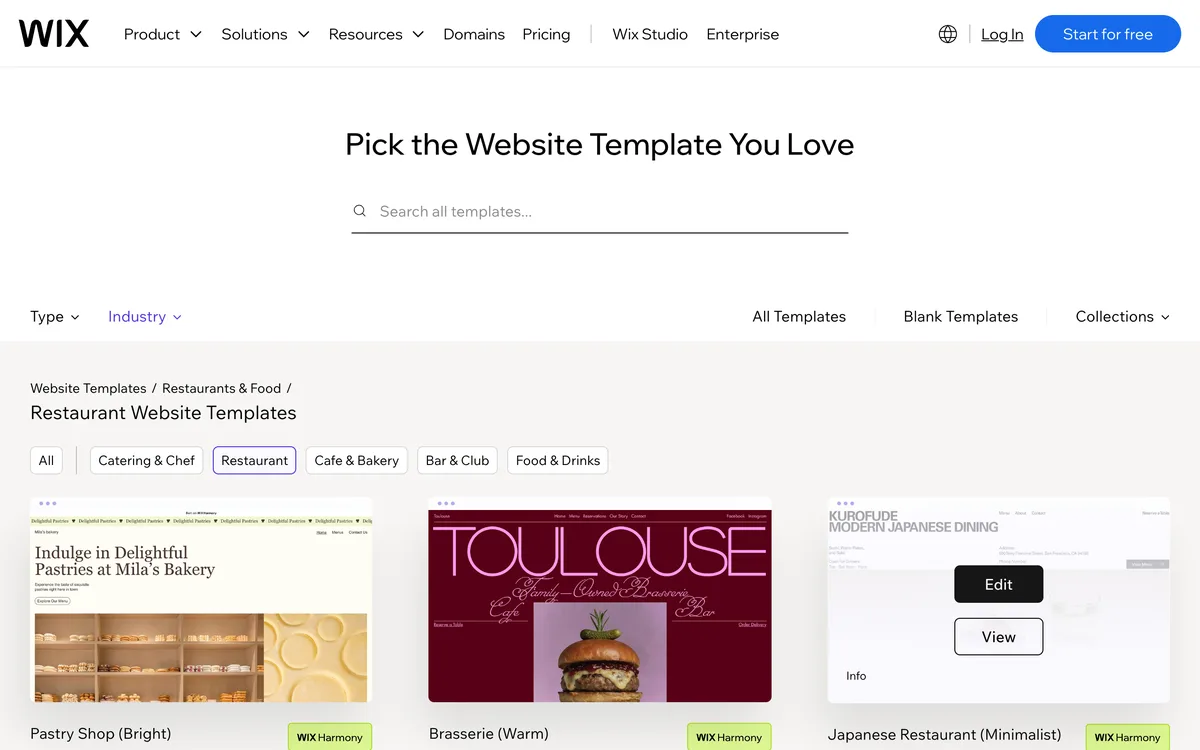
Wix Chef Restaurant is the easiest template here for getting a menu, online orders and table bookings onto one website.
Wix’s template listing says it comes with the built-in Wix Restaurants Menus, Orders and Reservations apps. Wix pitches it at restaurants, cafes and caterers, with room for close-up dish images, a large logo and playful typography.
Best for: a family restaurant that wants one dashboard for the menu, takeout and bookings. Skip it if your brand is quiet and classic, because the font leans whimsical.
Here’s how I’d set it up in one afternoon:
- Click Edit on the template, then swap in your logo and your best dish photos.
- Type your menu into the Menus app with prices and dietary notes like vegan or vegetarian, so guests can read it on the page.
- Turn on Orders only after your kitchen agrees it can handle online tickets during a Friday rush.
Compared with Wix Italian Restaurant (#3), Chef Restaurant adds table reservations, while #3 puts the order button first.
In other words, this is the one template on the list that covers menu, orders and bookings out of the box.
| Wix Chef Restaurant at a Glance | |
|---|---|
| 🛠 Platform | Wix drag-and-drop builder |
| 🍽 Built-In Tools | Menus, Orders and Reservations apps |
| 💰 Cost | Price not shown in Wix's gallery |
| 🎯 Best For | Family restaurants and caterers |
2. Wix Fast Food Restaurant (Bold) [Best for Counter-Service Spots and Taquerias]
Wix Fast Food Restaurant (Bold) is the pick for quick-service counters where the menu does the selling.
Wix lists it as good for fast food restaurants, casual dining, food delivery and quick service restaurants. It’s built to show off menu items and take table reservations, with a bold design that puts your brand’s personality up front.
That makes it a natural fit for a taco or burger counter where guests decide in seconds.
The catch is that many counter-service spots never take bookings. So hide the reservations page and give the menu and your order link the top of the home page.
Compared with Wix Chef Restaurant (#1), this one trades the playful look for a louder quick-service feel, and its listing doesn’t mention the Orders app.
| Wix Fast Food Restaurant (Bold) at a Glance | |
|---|---|
| 🛠 Platform | Wix drag-and-drop builder |
| 🍽 Built-In Tools | Menu showcase and table reservations |
| 💰 Cost | Price not shown in Wix's gallery |
| 🎯 Best For | Taquerias, burger counters, quick service |
3. Wix Italian Restaurant [Best for Pickup and Delivery Orders]
Wix Italian Restaurant is built for pickup and delivery orders that run through your own website instead of a delivery app.
According to the same Wix gallery, the Wix Restaurants Orders app handles online payments and sends you alerts for new and unhandled orders. It also has a built-in contact form and chat, so a guest can ask for allergen information before ordering.
Why does that matter?
Every order placed here is one you own, along with the guest’s name for next time. If you’re weighing that against the apps, compare it with commission-free online ordering options before you launch.
Before you switch on ordering, check these:
- Your menu prices match the printed menu.
- Someone watches for order alerts during every open hour.
- Pickup times are realistic for your busiest night.
Compared with Wix Chef Restaurant (#1), this template leaves out reservations and puts the order button first.
| Wix Italian Restaurant at a Glance | |
|---|---|
| 🛠 Platform | Wix drag-and-drop builder |
| 🍽 Built-In Tools | Orders app with payments, contact form, chat |
| 💰 Cost | Price not shown in Wix's gallery |
| 🎯 Best For | Takeout-heavy pizzerias and Italian spots |
4. Qitchen [Best Free Template With Menu and Reservation Pages]
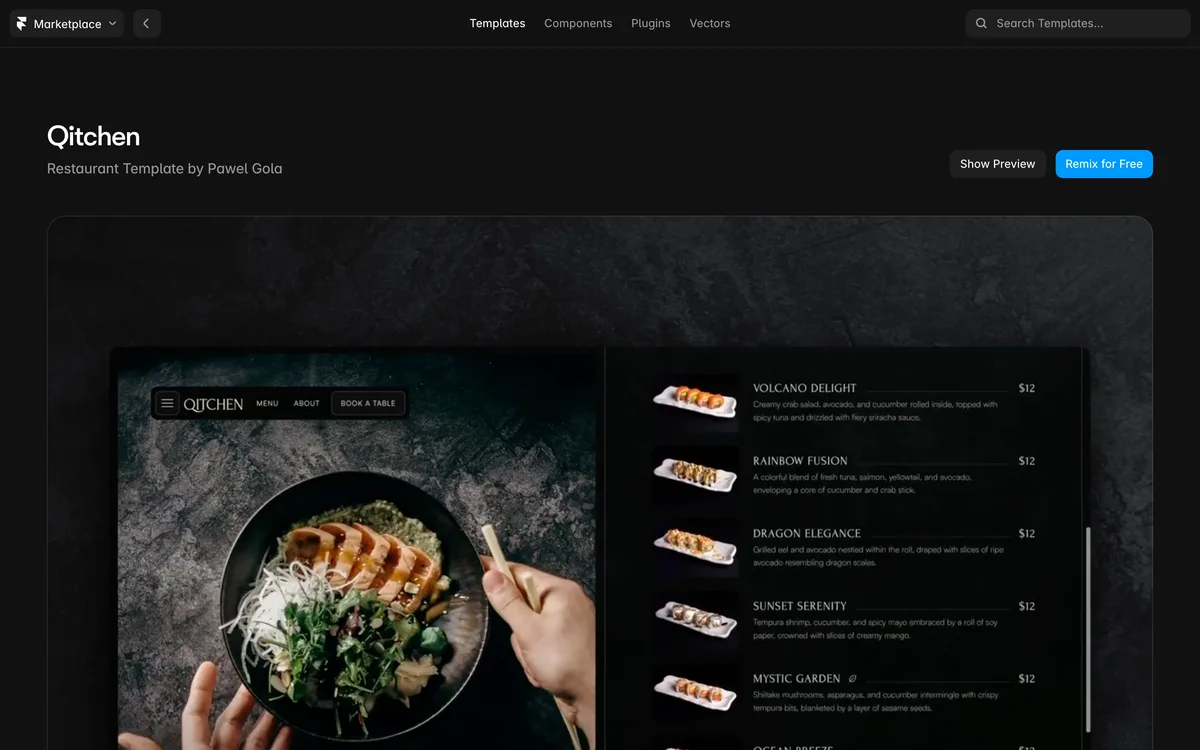
Qitchen is the best free restaurant template on this list, and it’s the only template named in two of the top-ranking template guides.
Framer’s own blog lists it as free and suggests it for local cafés, pop-up restaurants and first-time food entrepreneurs. It ships with separate pages for the home page, menu, reservations and a blog you update yourself in Framer.
Best for: cafés, bars and casual spots that want a modern look without paying for the design. Skip it if nobody on your team wants to learn a new editor.
Framer is a design tool first. Give yourself a quiet morning to learn its pages and layers before you swap in dishes.
Compared with Wix Chef Restaurant (#1), Qitchen costs nothing for the template, but online orders need a service you link to.
| Qitchen at a Glance | |
|---|---|
| 🛠 Platform | Framer no-code visual editor |
| 🍽 Built-In Tools | Menu, reservations and blog pages |
| 💰 Cost | Free template |
| 🎯 Best For | Cafés, bars and first-time owners |
5. Slice Town [Best for Pizzerias]
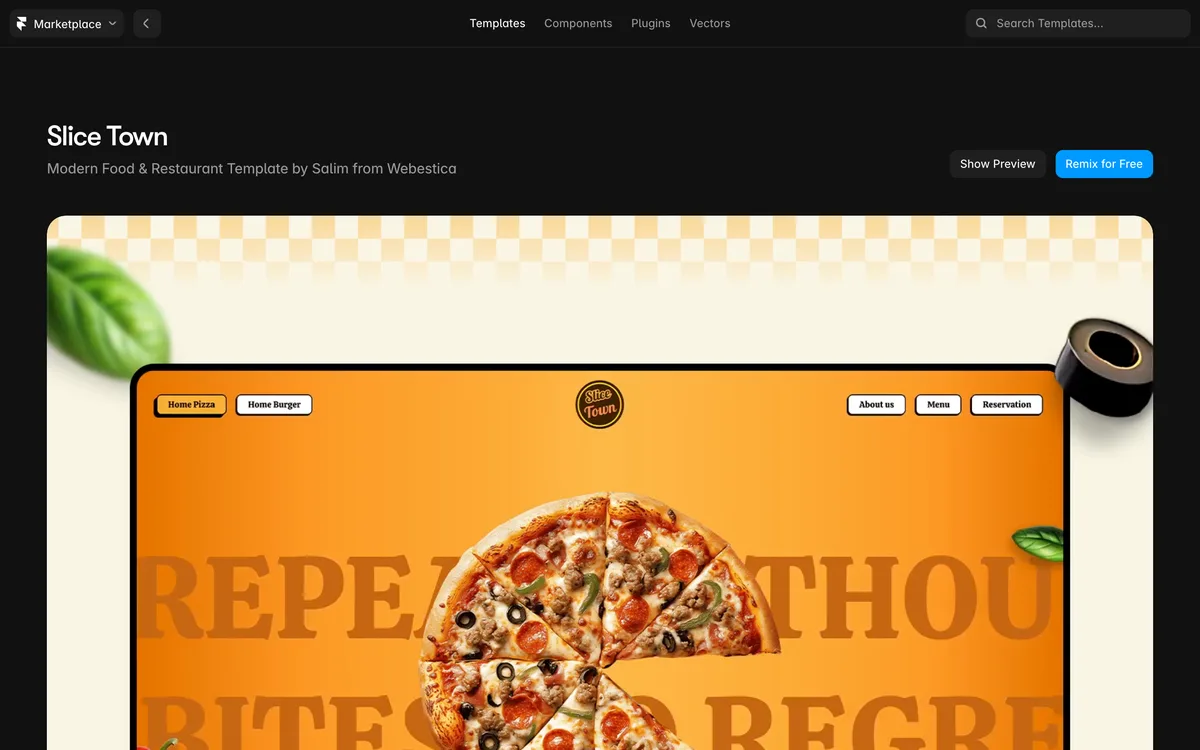
Slice Town is a free Framer template made for pizzerias, pizza delivery and casual Italian spots.
The menu comes split into veg pizzas, non-veg pizzas, add-ons and desserts, and the pricing table handles sizes like Regular and Large. A “Where To Find Us” section lists each location’s address, hours and a map link, which helps if you run two shops.
Here’s what that looks like on a slow Tuesday, in a made-up example:
You type a weekly two-topping pizza deal into the scrolling “Hot Deals” banner. Then you point the “Order Now” button at your ordering page and the “Book a Table” button at your reservation tool.
The add-ons section is where the easy upsells live: extra cheese, garlic dips and stuffed crust.
Compared with Qitchen (#4), Slice Town gives up the polished café look for menus built around sizes and toppings.
| Slice Town at a Glance | |
|---|---|
| 🛠 Platform | Framer no-code visual editor |
| 🍽 Built-In Tools | Size pricing, Hot Deals banner, order buttons |
| 💰 Cost | Free template |
| 🎯 Best For | Pizzerias and pizza delivery |
6. Patty [Best for Diners and Burger Joints]
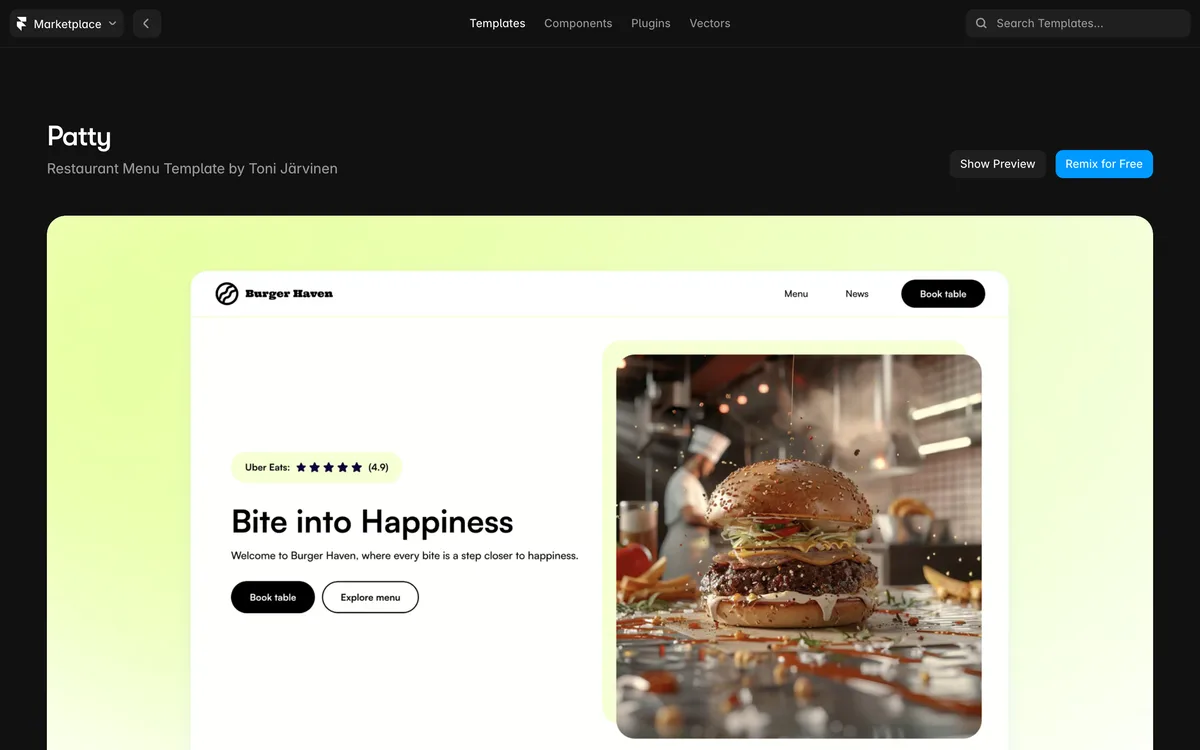
Patty is the Framer template to pick when your menu is the whole pitch, as it is at most diners and burger joints.
Framer’s blog says Patty does one thing really well, showcasing menus, and keeps the page focused on menu ordering. It also notes the design feels even smoother on mobile, which matters when most guests look you up from a phone.
Say you run a 40-seat diner. You’d lead with breakfast, burgers and blue-plate specials as three tidy menu blocks, then put your hours right under them.
Compared with Wix Fast Food Restaurant (Bold) (#2), Patty serves the same quick-service crowd on Framer, with a cleaner, design-first look.
So if your best marketing is a photo of a stacked burger, Patty keeps it front and center.
| Patty at a Glance | |
|---|---|
| 🛠 Platform | Framer no-code visual editor |
| 🍽 Built-In Tools | Menu-first layout built for ordering |
| 💰 Cost | Listed on its Framer page |
| 🎯 Best For | Diners, burger spots, fast service |
7. Savoria [Best Free Template With Dark and Light Themes]
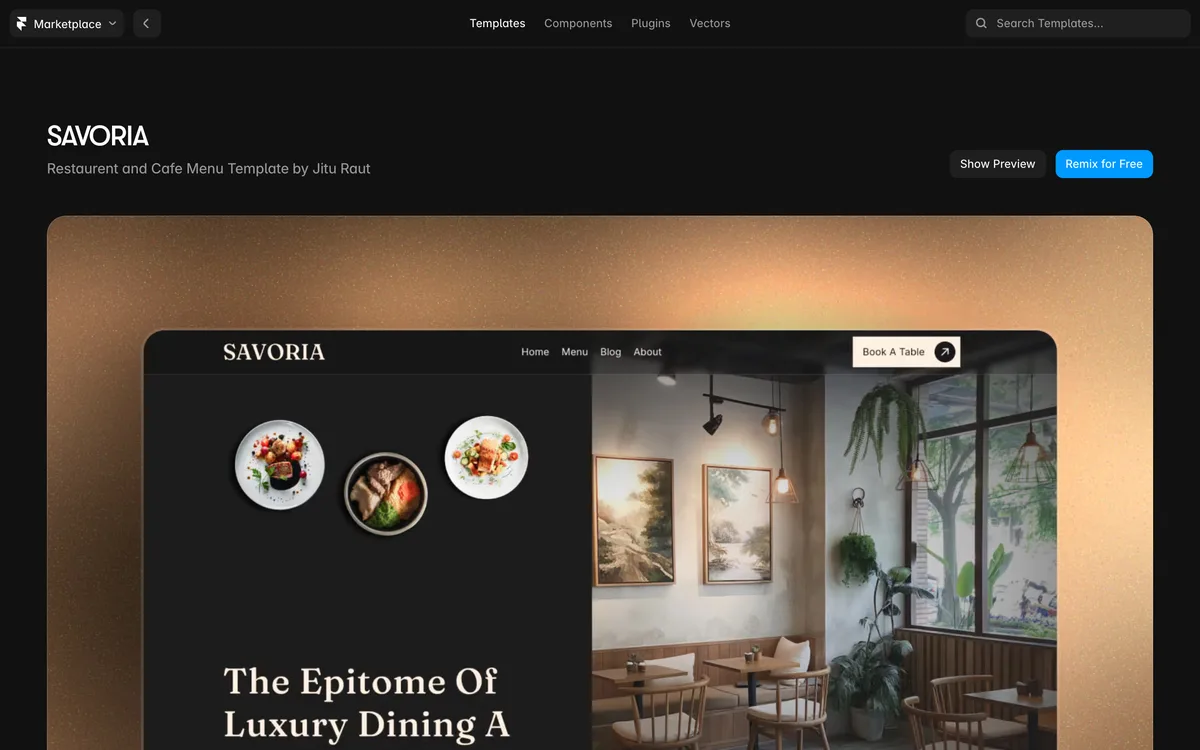
Savoria is a free Framer template for restaurants that want an upscale feel, and it comes with both a Dark and a Light theme.
It includes pages for Home, About, a Menu Card, Blogs and Reservation or Contact. Its built-in collections for Menu Cards and Blogs let you change seasonal dishes and prices without touching code.
Best for: a fine dining spot, an upscale café or a bakery with a polished brand. Skip it if you run a casual diner, where Patty (#6) fits better.
Compared with Qitchen (#4), both are free, but Savoria leans formal and gives you the two color themes to match your dining room.
| Savoria at a Glance | |
|---|---|
| 🛠 Platform | Framer no-code visual editor |
| 🍽 Built-In Tools | Menu Card and Blog collections, two themes |
| 💰 Cost | Free template |
| 🎯 Best For | Upscale restaurants and bakeries |
8. Bibimbap [Best Free WordPress Theme]
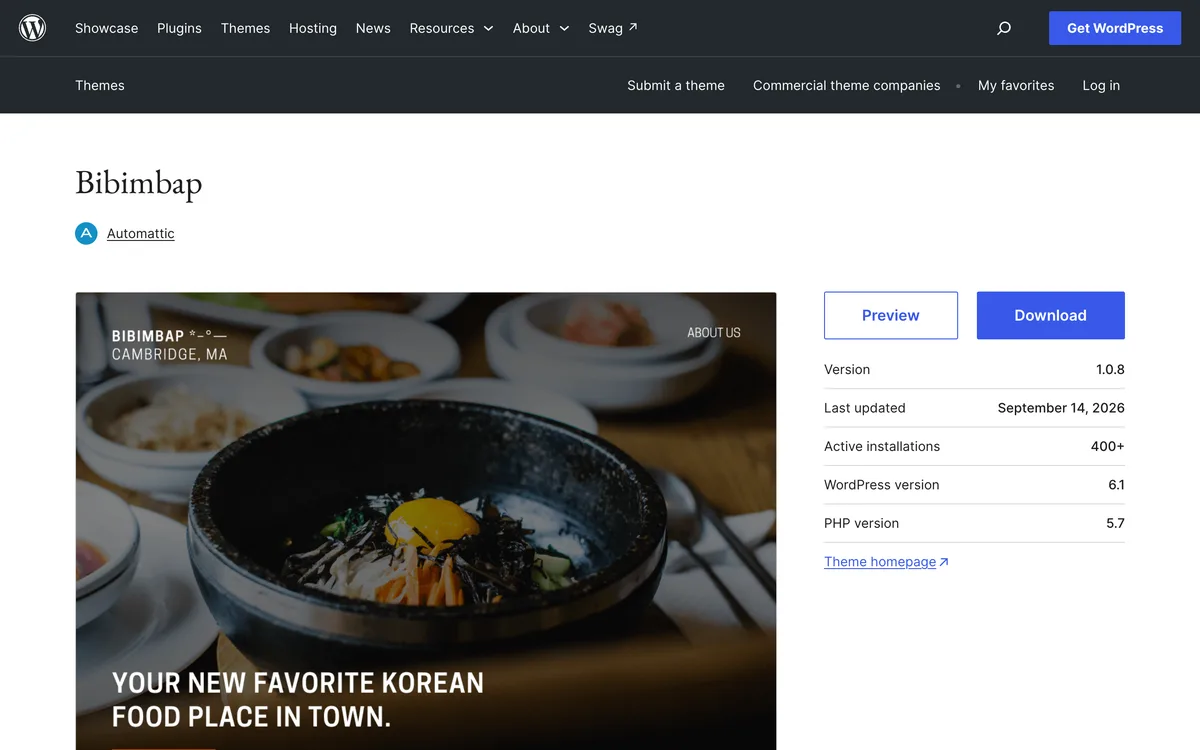
Bibimbap is a free WordPress theme for restaurants, and it’s the simplest way onto WordPress if someone you know already runs a WordPress site.
It’s clean, minimal and easy to customize. You can add a menu page or a contact page, and the home page has its own section for menu highlights.
The catch: a WordPress theme needs your own hosting, and someone has to install updates for the theme and its plugins.
Compared with Canape (#9), Bibimbap is the plainer starting point, while Canape adds a reservation block.
| Bibimbap at a Glance | |
|---|---|
| 🛠 Platform | WordPress theme on your own hosting |
| 🍽 Built-In Tools | Menu section on the home page |
| 💰 Cost | Free theme |
| 🎯 Best For | Owners with a WordPress helper |
9. Canape [Best for Restaurants Already on OpenTable]
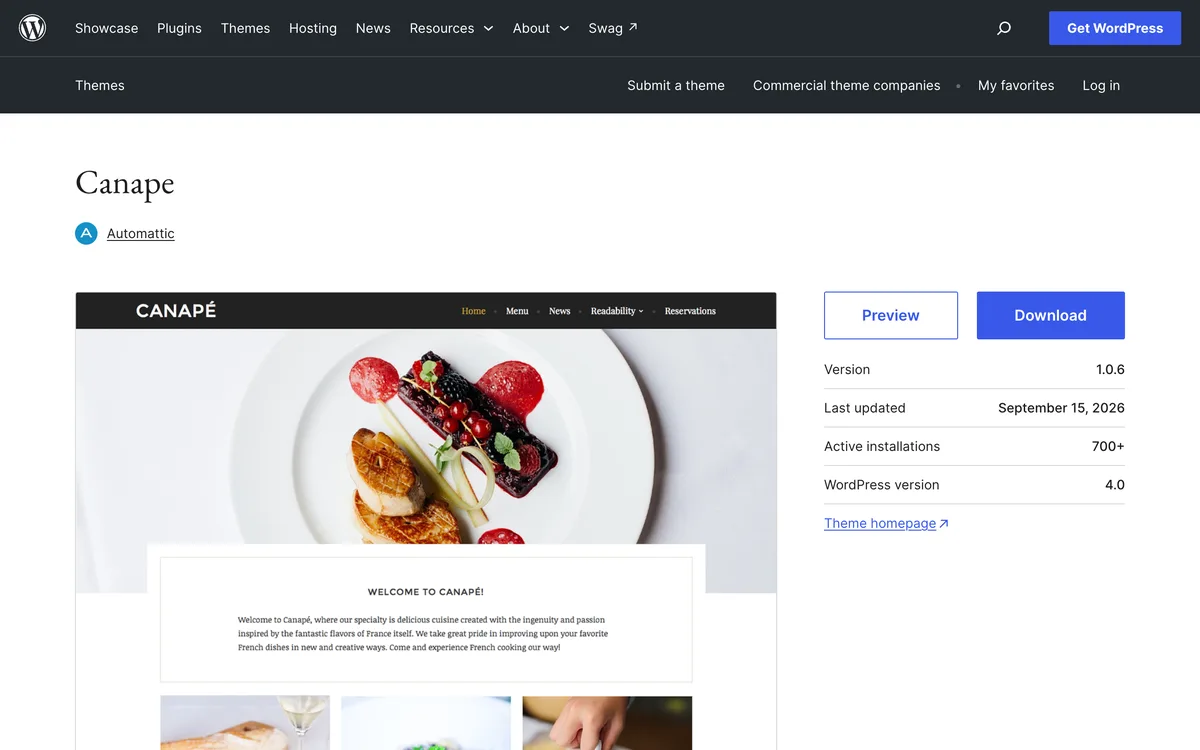
Canape is a free WordPress theme with a dressier look and a built-in OpenTable block, so guests can book a table right on your page.
It also has a featured menu item section and full-width images for your signature dishes.
If you already take reservations through OpenTable, this saves you from sending guests to a separate booking page.
Compared with Bibimbap (#8), Canape costs the same, nothing, but adds that reservation block and a more elevated style.
| Canape at a Glance | |
|---|---|
| 🛠 Platform | WordPress theme on your own hosting |
| 🍽 Built-In Tools | OpenTable block, featured menu items |
| 💰 Cost | Free theme |
| 🎯 Best For | Sit-down restaurants using OpenTable |
10. Meal [Best One-Page Template for a Small Menu]
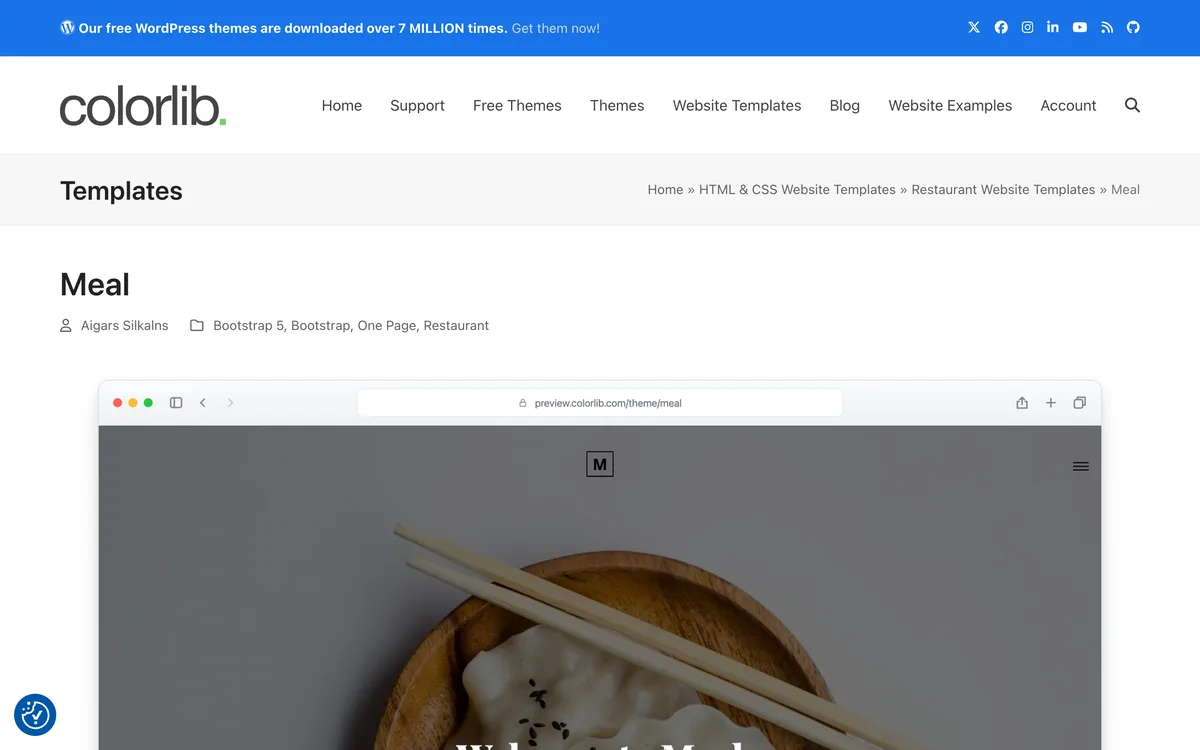
Meal is a one-page Bootstrap 5 template from Colorlib that fits a restaurant with a short menu and a simple story.
It links straight to its about, menu, reservation and contact sections on one page. Colorlib suggests it when your restaurant can explain its offer without a big set of separate pages.
This is where setup gets hands-on: Meal is an HTML template, so you edit code files and upload them to a host yourself. Colorlib also offers Astro and Tailwind CSS templates, such as BrewHouse, for developers who prefer those tools.
Compared with Marco (#11), Meal is shorter and faster to fill in, while Marco gives the menu and gallery their own pages.
| Meal at a Glance | |
|---|---|
| 🛠 Platform | Colorlib HTML template (Bootstrap 5) |
| 🍽 Built-In Tools | One page: about, menu, reservation, contact |
| 💰 Cost | Listed on Colorlib's download page |
| 🎯 Best For | Small menus and food trucks |
11. Marco [Best for Photo-Heavy Menus]
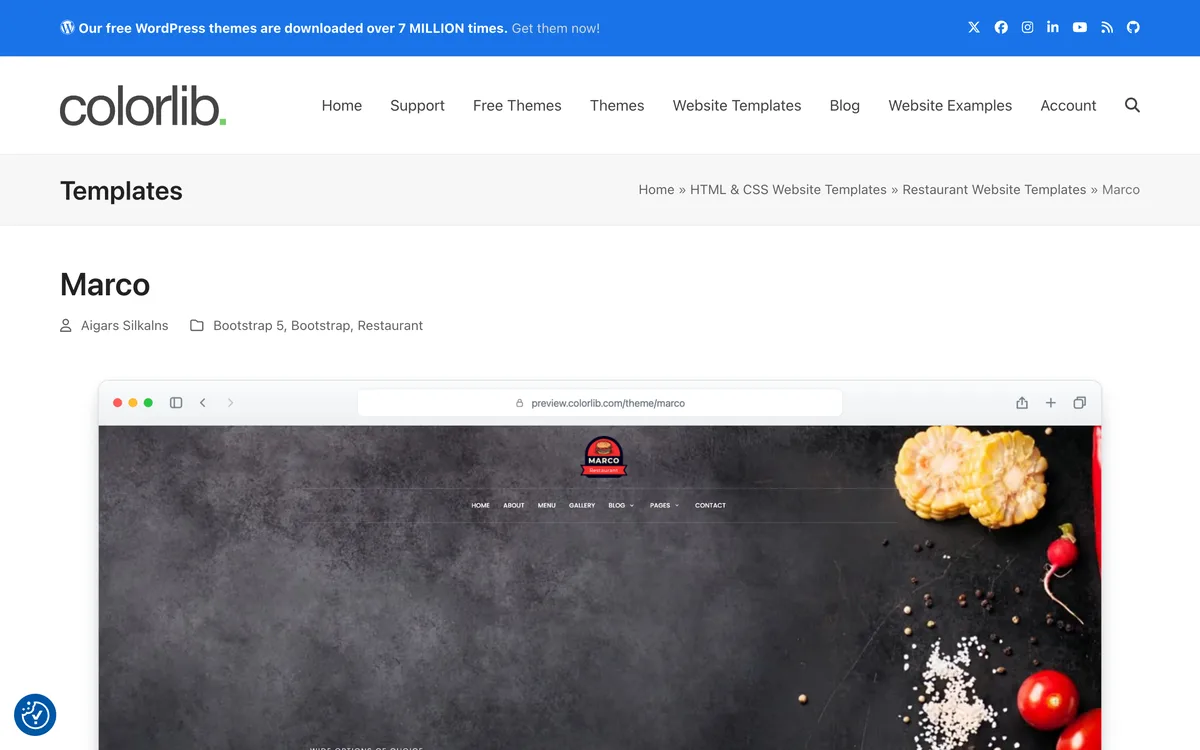
Marco is a Colorlib code template that leads with food photos and gives the menu its own page.
It combines a food-led home page with dedicated menu, gallery and about pages. The home page also has a reservation form layout, so you can line up the menu and the booking request together.
Here’s the deal: a gallery template only works if the photos are good. So spend an afternoon on restaurant food photography before you fill those pages.
Compared with Feliciano (#12), Marco keeps the focus on dishes and photos, while Feliciano adds chefs and catering.
| Marco at a Glance | |
|---|---|
| 🛠 Platform | Colorlib HTML template (Bootstrap 5) |
| 🍽 Built-In Tools | Menu, gallery and about pages, booking form |
| 💰 Cost | Listed on Colorlib's download page |
| 🎯 Best For | Restaurants with strong dish photos |
12. Feliciano [Best for Restaurants That Cater]
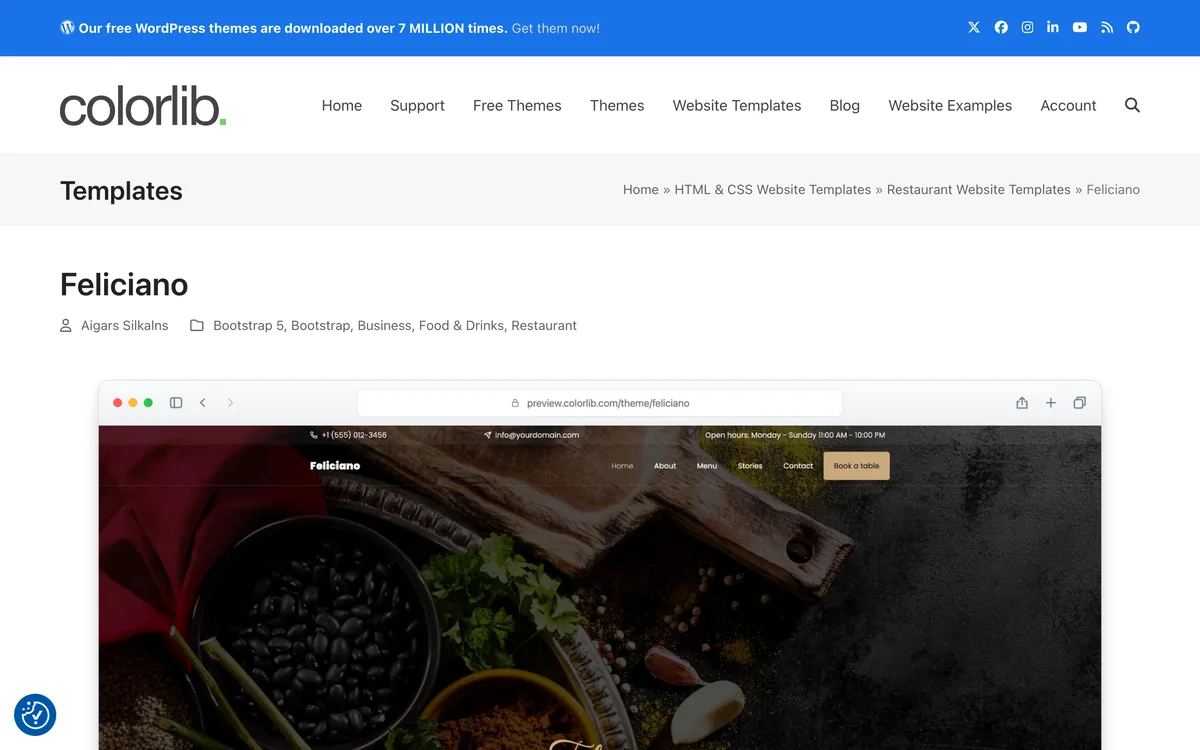
Feliciano is a Colorlib code template for restaurants that sell catering alongside the dining room.
It gives featured dishes prominent space and includes chef profiles and catering sections. A separate reservation page keeps booking requests apart from the menu.
Best for: a family restaurant whose catering trays bring in real money. Skip it if you don’t cater, because those sections will sit empty.
Compared with Marco (#11), Feliciano trades some of the photo gallery for chef and catering pages.
| Feliciano at a Glance | |
|---|---|
| 🛠 Platform | Colorlib HTML template (Bootstrap 5) |
| 🍽 Built-In Tools | Chef profiles, catering sections, booking page |
| 💰 Cost | Listed on Colorlib's download page |
| 🎯 Best For | Restaurants with a catering menu |
What Should a Restaurant Website Template Include?
A restaurant website template needs a menu page, your hours and address, a book or order button, and a layout that fits a phone.
Every template above covers some of that, but none of it matters if guests can’t find the basics in a few seconds. Here’s the checklist I’d hold any design to:
- A menu as a real web page. Colorlib’s own advice is to keep the menu readable as page content rather than making visitors download a file.
- Hours, address and phone information in the header or footer, matching your Google and Yelp listings.
- One booking or order button on every page, not hidden behind a hamburger menu button.
- Dish photos that make people hungry, with short alt text so search engines and screen readers understand your images.
- A sign-up spot for rewards or emails, so a first visit can turn into a second.
That PDF point is the one most owners miss. A PDF menu makes a hungry guest pinch and zoom on a small screen just to find the burgers.
Your website also feeds your other listings. Keep the hours and phone number identical to your Google Business Profile, a basic of local SEO, so guests never see two different closing times.
Can a Template Take Online Orders and Reservations?
A restaurant website template takes online orders and reservations only when it’s linked to an ordering or booking system, like the Wix Orders and Reservations apps.
Most templates just give you the buttons and the forms. The real work happens in whatever service sits behind them.
That’s the trap with booking forms.
Colorlib warns that a reservation form does not by itself confirm table availability. So a request can sit unread on a busy night.
So before you go live, decide how each request reaches you:
- Connect the form to a booking service, or route it to an email someone reads every shift.
- Send a test booking and a test order from your own phone.
- Confirm the guest gets a reply, and that the kitchen sees the order.
Online ordering works the same way: Slice Town’s order buttons can point at a delivery app or your own ordering page. Only your own page keeps the guest relationship with you.
In other words, the template is the storefront, and the booking or ordering service is the register.
Free vs. Paid Restaurant Website Templates
Yes, free restaurant website templates exist, and 5 picks on this list cost nothing for the design. Qitchen, Slice Town and Savoria are free on Framer, and Bibimbap and Canape are free WordPress themes.
The template is rarely the big bill. You’ll still need a domain name, and a builder plan or web host to publish the site.
Paid themes tend to add more ready-made layouts, such as extra home page designs and demo sites. Check the current price on the template’s own page before you plan your budget.
You’ll also find restaurant templates on Canva, ThemeWagon and ThemeForest, where premium WordPress themes like Laurent and Grand Restaurant are sold.
Laurent works with the Elementor page builder, and Grand Restaurant works with WooCommerce for online sales.
Here’s my rule of thumb: start free, launch the site, and only pay for a template once you know which page is missing.
Wix vs. Framer vs. WordPress: Which Builder Fits a Small Restaurant?
Wix is the best builder for most small restaurants without a web person, because its restaurant templates come with menus, orders and reservations built in.
Framer suits owners who care most about design, and WordPress suits owners with a helper who runs the hosting.
Here’s how the setup work stacks up:
- Wix: drag-and-drop editing, with restaurant apps already in the template.
- Framer: a visual design editor, with hosting handled for you and more control over the look.
- WordPress: themes you install on your own hosting, with plugins for extras like ordering.
- Code templates (Colorlib): files you edit and upload, best for someone comfortable with web design basics.
Hosting is the hidden chore. On a hosted website builder, the platform runs the servers for you.
Framer’s X account posted on Oct 21 that sites hosted on Framer were not affected by that day’s newly discovered PHP vulnerability.
On a self-hosted WordPress site, that job falls to you or your host. That’s not a reason to avoid WordPress, but it is a reason to know who installs updates before you launch.
Figma, Word and PDF Restaurant Templates: Design Files, Not Websites
A Figma restaurant template is a design file, not a working website. You need a builder like Framer, or a developer, to turn it into real pages.
Figma’s community pages offer restaurant website design files you can customize. They’re great for planning a layout or briefing a designer.
But you can’t point your domain at a Figma file. Dribbble works the same way: it’s a gallery of design ideas, not a site you can launch.
Word and PDF templates sit even further from a website, because they’re print layouts. Use them for your table menu or a restaurant flyer, and keep the website menu as a real page.
Before you pay a designer for a Figma file, ask: “Can you build this in Framer or WordPress, and who updates the menu after launch?”
Add a Rewards Sign-Up to Your Restaurant Website
A restaurant website template can carry your loyalty program through one button or QR code. The button adds a digital punch card to a guest’s Apple Wallet or Google Wallet.
Your website is where first-time guests check your menu, so it’s the best place to ask them back. Put a “Join our rewards” button next to the menu link, and add the same QR code to your printed menu.
The same goes for email marketing. Most templates include a contact or sign-up form you can repurpose, and you can build an email list for free from it.
A template that collects even a few sign-ups a week does more marketing than a prettier one that collects none.
Which Restaurant Template Fits Your Restaurant?
The right restaurant website template depends on how guests order from you: pick by your service style first and your look second.
Here’s the short version:
- Pizzeria: Slice Town (#5) for size pricing and deals, or Wix Italian Restaurant (#3) if takeout is most of your sales.
- Diner or burger joint: Patty (#6), or Wix Fast Food Restaurant (Bold) (#2) for a no-code option.
- Taqueria or counter service: Wix Fast Food Restaurant (Bold) (#2).
- Family restaurant with reservations: Wix Chef Restaurant (#1) or Canape (#9) if you use OpenTable.
- Catering on the side: Feliciano (#12).
Your template is only one piece of your restaurant marketing, so match its colors and fonts to your restaurant branding and your signs.
Then give the menu real care, and borrow a few creative menu ideas for dish names. Once the site is live, it becomes the hub for your SEO, social media and the rest of your restaurant digital marketing.
The Bottom Line
The best restaurant website template is the one your team can launch this month and keep updated.
For most small restaurants, that’s Wix Chef Restaurant, with Qitchen as the free pick.
Open your top choice tonight, swap in your real menu and hours, and send a test order or booking before the weekend.
Frequently Asked Questions
What is the best website template for a restaurant?
Wix’s Chef Restaurant template is the best all-around pick for most small restaurants, because Wix lists it with built-in Menus, Orders and Reservations apps. If you can’t pay for a template, Qitchen on Framer is free and has separate menu and reservation pages.
Can a restaurant template work for a coffee shop or bakery?
Yes, a restaurant template works for a coffee shop or bakery when its menu and page layout fit what you sell. Wix also lists templates made for pastry shops, bakeries and cafes, so start there if baked goods are your main menu.
Are there restaurant website templates in Word or PDF?
Word and PDF restaurant templates are print layouts for menus and flyers, not websites you can publish. Use them for your printed menu, then build the site itself from a web template on Wix, Framer, WordPress or Colorlib.
Is a free restaurant website template worth using?
Yes, a free restaurant website template is worth using when it has a menu page, your hours and a booking or order button, as Qitchen and Slice Town on Framer do. Pay for a template only when you need a page your free one lacks.