




Loyalty Cards and Stamp Me both replace the paper stamp card, but they ask very different things of you and your customers. Stamp Me is built around a customer app, and you set up the card yourself. Loyalty Cards is built around the wallet that is already on the phone, and AI sets up the card for you.
The short answer: choose Loyalty Cards if you don’t want to ask customers to install anything, you want AI to make your card and flyers, or you want a lower price. Stamp Me may suit you if you want tap-to-stamp hardware.
AI makes your card in about a minute
Point Loyalty Cards at your Google listing, your website or your Instagram, or describe your business in a sentence. AI reads what it finds and creates the logo, the artwork, the stamp, the colors and the rewards. Then ask for changes in plain words, or edit anything yourself.
With Stamp Me, you build the stamp card yourself: you upload your logo, set a stamp icon and write the terms.
Full-art poster passes on iOS 27
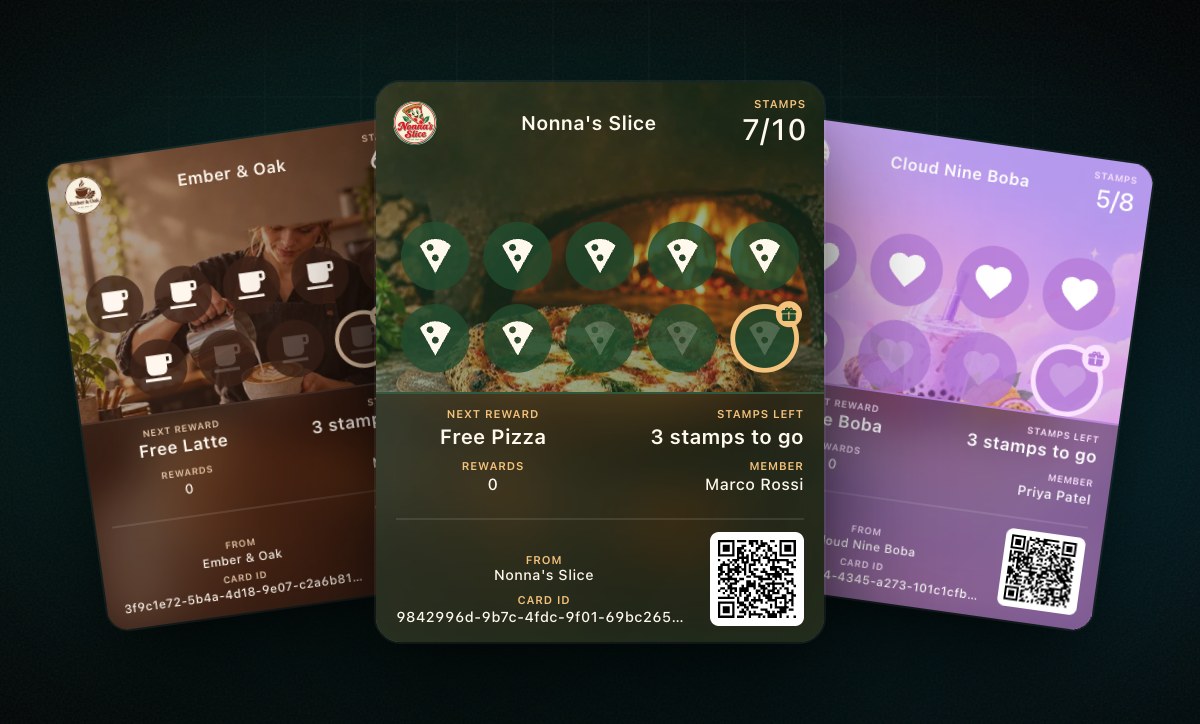
iOS 27 gave Apple Wallet a new look called Poster Generic, where your artwork fills the whole pass and the details sit on top. Apple made it optional, so a loyalty card only gets the new look if the company behind it builds it.
Loyalty Cards already has. On iOS 27 your card becomes a poster pass, with your stamps or rewards over your artwork, and AI can design that artwork along with the rest of your card. iPhones on older versions keep the classic card, so every customer sees the best their phone can show. It is included on every plan.
Stamp Me’s website does not mention poster passes, and what it saves to the wallet is a member code, while the full loyalty experience stays in its app.
A flyer made from your own card
Stamp Me offers pre-designed posters, plus two Canva templates where you add your own imagery and logo. Printed copies cost extra.
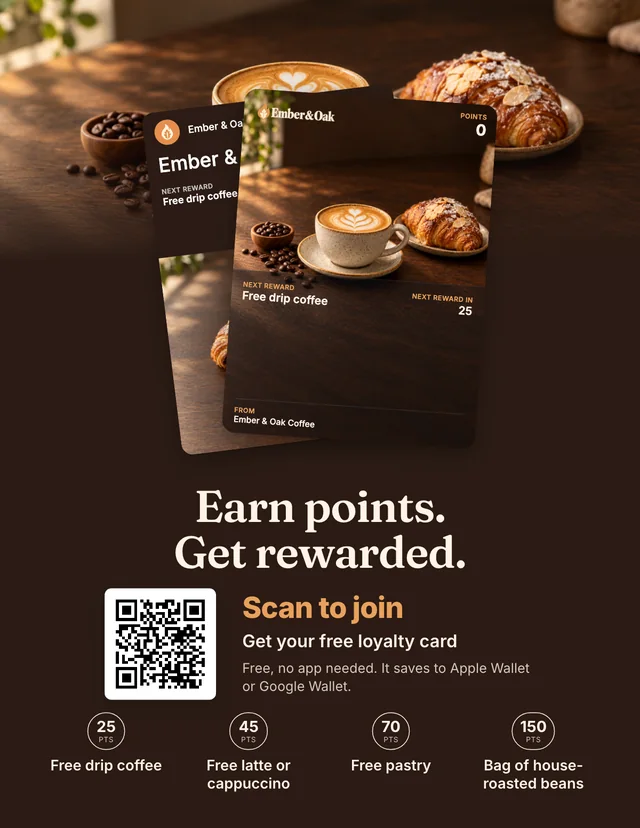
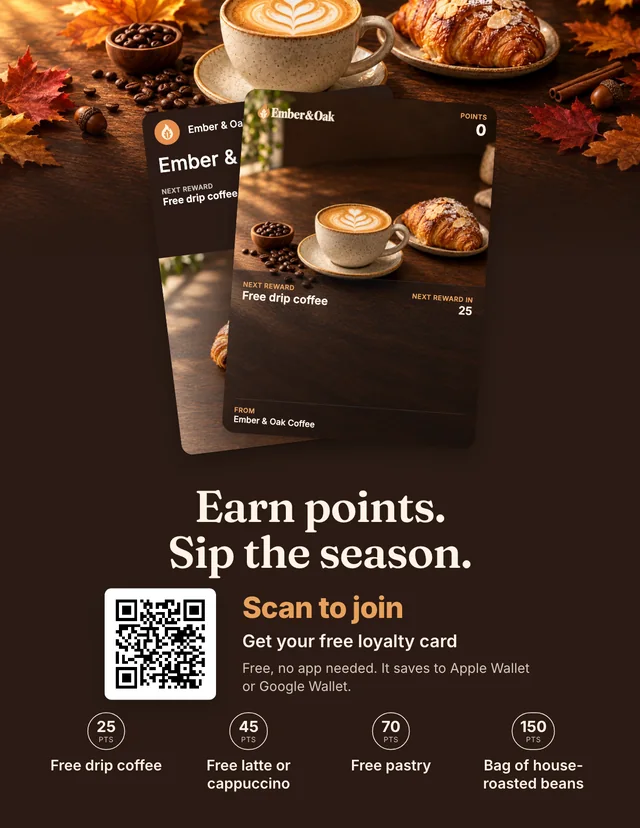
Loyalty Cards starts from your finished card instead. Your flyer arrives with your card, your rewards and your QR code already on it, as a poster, counter card, handout or business card. Print it at home with cut marks, or download a PDF for a print shop.
Want a different look? Describe it, and AI redesigns the flyer, with new artwork if it needs it. Your card and QR code always stay on it, and both are included on every plan.
Why the customer app matters
Every step between someone hearing about your program and earning their first stamp loses people. With a customer app, they have to find it, download it and create an account while your staff and the people behind them wait. With a wallet card, they scan a code, tap once and the card is saved.
Side by side
We checked these prices and features on each company’s own website on October 31, 2026, using US dollar prices, and the free plans and free days again on November 11, 2026.
| Loyalty Cards | Stamp Me | |
|---|---|---|
| Customer has to install an app | No | Yes, the Stamp Me app |
| Making the card | AI designs it in about a minute | You build it yourself |
| Artwork and logo | AI creates them | You upload your logo and set a stamp icon |
| Reads your website or Instagram | Yes | Not mentioned on its site |
| Full-art poster pass on iOS 27 | Yes, on every plan | Not mentioned on its site |
| Flyers and posters | Made from your own card, in four formats | Pre-designed posters, or Canva templates you edit |
| Redesign a flyer with AI | Yes on Plus and Pro, describe the look you want | Not mentioned on its site |
| Starting price | $25 a month, billed yearly (Plus) | $49 a month (Lite) |
| Starting plan, billed monthly | $30 a month | $49 a month |
| Next plan | $60 a month billed yearly, or $72 billed monthly (Pro) | $79 a month (Pro) |
| Yearly billing | Yes | Not listed |
| Apple Wallet and Google Wallet | The card itself lives there | A member code, after joining in the app |
| Points cards | Yes | Not listed on its pricing page |
| Locations per plan | 1 on Plus, 3 on Pro | Single location |
| Free plan | Yes, up to 50 customers, no time limit | No, 30 days free from your first published card |
| Card needed to start | No | No |
| Staff | 5 on Plus, unlimited on Pro | Unlimited |
| Hardware | None needed | StampPod and StampTag available |
When Loyalty Cards is the better choice
- You don’t want to ask anyone to install an app. The card goes straight into Apple Wallet or Google Wallet.
- You don’t want to design anything. AI makes the card, the artwork and the rewards, and then the flyer.
- You want the new look on iOS 27. Your artwork fills the whole pass, and iPhones on older versions keep the classic card.
- You want to start free. Free covers up to 50 customers with no time limit, and Stamp Me’s free days end 30 days after your first card goes live.
- You want a lower monthly cost. Plus is $25 a month billed yearly, or $30 billed monthly.
- You run up to three locations on one plan. Stamp Me lists a single location per plan, and Pro covers three here.
- You want to reward spending as well as visits. Points cards are on every plan.
When Stamp Me may fit
- You want tap-to-stamp hardware. StampPod and StampTag let customers tap instead of showing a code.
- Your customers already use its app. They can search for businesses there, so a new customer might find you.
Sources: Stamp Me pricing, Stamp Me homepage, Stamp Me marketing materials, promoting Stamp Me in store, Stamp Me and the wallet, Apple’s poster pass guide, and our own pricing. Competitors change their plans, so check their site before you decide.
Last updated November 13, 2026