Wallet passes
·
·
9 dk okuma
How to add loyalty cards to Apple Wallet, or issue one
You can't add loyalty cards to Apple Wallet yourself: the business has to issue the pass. iOS 27 changes that in September, but only halfway.

Andrew Kim
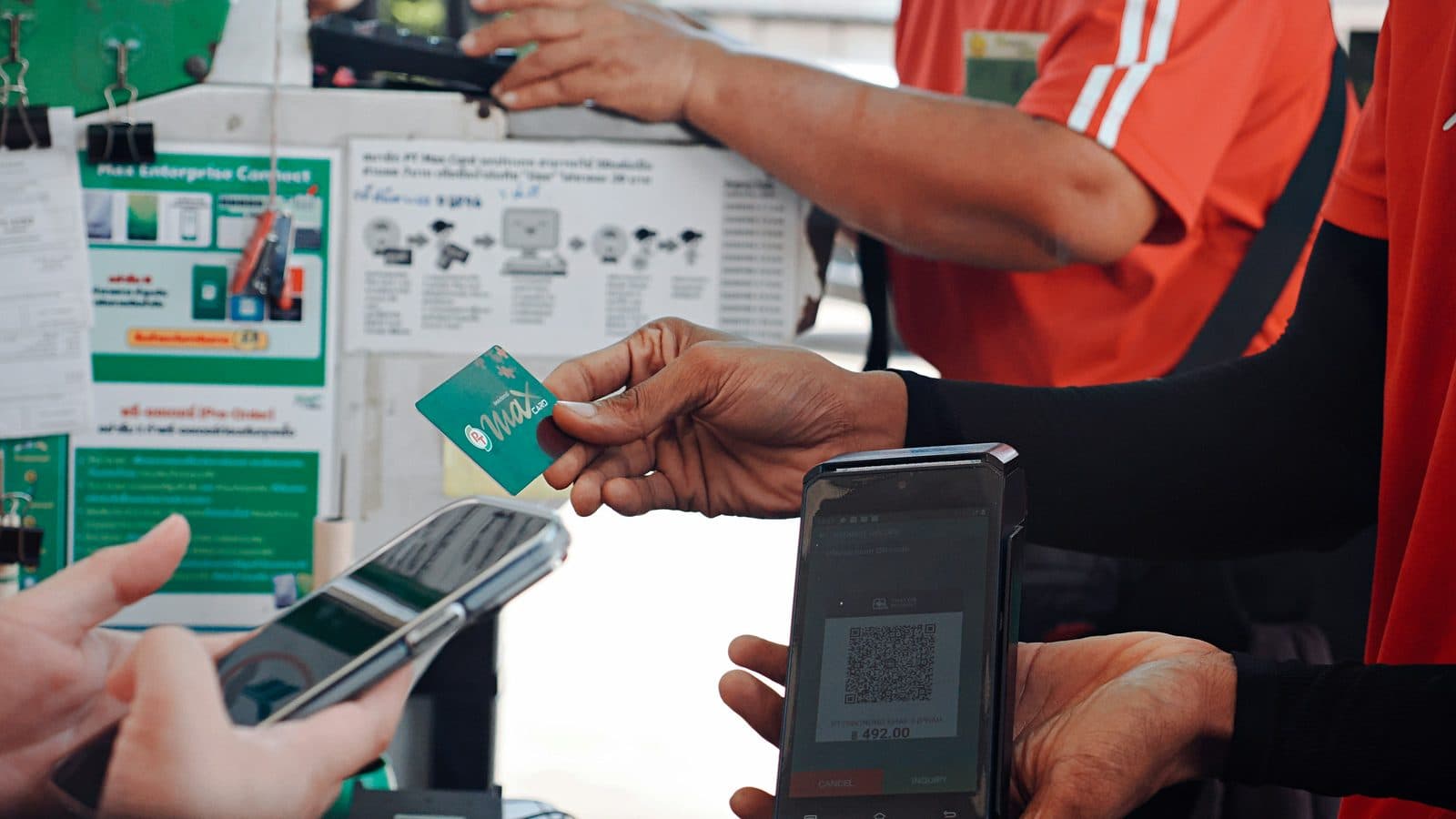
Photograph by Trương Tuyết Ly on Unsplash
Two people type this question. One has a plastic card from a coffee shop and wants it on their phone, and the other runs the coffee shop and wants to hand those cards out.
You can't add a loyalty card to Apple Wallet yourself. The business has to issue it, and you save it by tapping an "Add to Apple Wallet" button in their app, their email, or a link behind a QR code at the counter. Wallet has no screen for it.
That changes next month, and only halfway. iOS 27 arrives in September 2026 with a feature called Create a Pass, which scans a physical card's barcode into Wallet for you. The pass it makes is a picture of a barcode. It will never count a point.
How to add a loyalty card to Apple Wallet today
Apple's instructions run to three steps, and every one of them starts somewhere outside the Wallet app.
Apple's support page says to open the app, email, notification or other communication holding the pass, tap Add to Apple Wallet, and follow the screen. That is the entire flow. If a business supports Wallet, the button is on their site, in their app, in a confirmation email, or behind the QR code taped to the till.
Two details are worth knowing. Adding a pass on your iPhone puts it on your paired Apple Watch automatically, so there is no second thing to set up. And when the button is nowhere to be found, Apple's advice is to "contact the merchant or company that issued it" and check they support Wallet at all, which is a polite way of saying this was never yours to fix.
There is no list of shops that support it
People go looking for a list of shops with Apple Wallet loyalty cards, and there isn't one.
Apple doesn't publish one. Any business holding a signing certificate can issue a pass without telling Apple about it, so the set changes every week and nobody outside the shops themselves is counting.
That leaves two tests. Look for an "Add to Apple Wallet" button on the shop's site, in its app, or on an emailed receipt, and if there isn't one, ask at the counter, which is what Apple's own page tells you to do.
Why Wallet has no button to add one yourself
The reason is signing, not stubbornness. Every pass is a signed file. The business signs it with a certificate tied to its own Pass Type ID, which is what tells your iPhone the card is really from that shop rather than from somebody who photographed their barcode. A pass you assembled yourself has nothing to sign it with.
People hit this in public. In an Apple Support Community thread from August 2025, someone asks whether manual adding has been disabled, and the top answer is blunt: any card added to your Wallet has to be approved by the company that issued it. The person who asked eventually got there through a third-party app and called it "a bit of a slog."
What iOS 27 changes in September, and what it won't
Create a Pass fixes that. MacRumors reported from WWDC 2026 that you point your iPhone at any physical card with a barcode and save it to Apple Wallet, using Visual Intelligence to read the code and pre-fill the fields. Its iOS 27 guide, updated on 10 August 2026, lists Standard, Membership and Event templates and puts the release in September 2026. 9to5Mac's account matches, and pins down two more details: Create a Pass sits behind the + button in Wallet, and it offers two ways in, scanning a physical card or building one by hand. Only the scanning route requires what that report calls the next-gen Apple Intelligence capabilities.
Now the part the coverage skips.
A pass has to carry a webServiceURL and an authenticationToken before anything can change it, and Apple's own documentation walks through what happens next: your device registers the pass with the issuer's server, the server sends a push when something changes, and your device fetches the new version. There is no server behind a card you scanned in yourself. Nothing registers, nothing pushes, and the number on the front stays whatever it was the day you scanned it.
| A pass you scan in yourself | A pass the business issues | |
|---|---|---|
| Where the barcode comes from | The card already in your pocket | The business's own system |
| Does the balance update | No, it is a still picture of a code | Yes, pushed by the issuer |
| Can the business message you through it | Not offered | Yes, as a push to the pass |
| Available today, 18 August 2026 | Only through a third-party app | Yes |
| Available in iOS 27, September 2026 | Yes, built into Wallet | Yes |
Both columns are useful. A shop that reads the left column as good enough has misread what the right one is for, because only one of them can count anything.
The workaround that already works
You don't have to wait for September. Pass2U has been turning barcodes into Wallet passes for years, and its FAQ describes exactly that: build a pass from a barcode you already have, then let your point-of-sale system verify it. The catch is the one above. Pass2U sells a monthly tier whose selling point is that you can manage and redeem the points on a loyalty card yourself, which tells you plainly that nobody else is going to move them for you.
The cheaper workaround is a photograph. Take a picture of the barcode, keep it in Photos, and let the cashier scan your screen, which works at any till with a handheld reader. It's ugly, and it works.
The best loyalty card app for iPhone keeps disappearing
For years the answer to that question was Stocard, and the answer is gone.
Klarna bought Stocard in July 2021. By its own announcement in April 2022 the app held 47 million active consumers across 45 markets, and Klarna said it would "continue to be available for free" and be enriched with further features going forward.
Then Klarna pulled the plug. Vamers reported on 20 March 2026 that users got roughly two weeks to move their cards into the Klarna app, and that accounts of migrations failing outright spread across Apple's own forums, Reddit and MacRumors. Some people were locked out before the shutdown date arrived, and Apple Watch support did not survive the move.
Pick your storage with that in mind. A card held in an app sits inside somebody else's product roadmap, and a pass in Apple Wallet is a file on your phone that keeps working whether or not the company that issued it still cares about the category.
Google Wallet allows this, which is why the question keeps coming up
Half the frustration here is that the other phone does it.
Google's support page on adding passes from images says that if a pass has a barcode or QR code, you can save it to Google Wallet even without an "Add to Google Wallet" option, by photographing it. Google's separate page on loyalty and gift cards is stricter about the official route, and tells you plainly that a merchant you can't find in search isn't supported. Android has had two routes in.
September closes that gap on the feature and leaves it open underneath, because a photographed Google Wallet pass doesn't update either.
If you're the one handing cards out
Loyalty Cards is our product. Read this section knowing that, because what follows is what Apple requires of anybody issuing a pass, whether you build it yourself or buy it from us.
Passes are signed with a certificate tied to a Pass Type ID, and that lives inside the Apple Developer Program, which costs $99 a year. The certificate expires annually. PassKit's own support notes put the cost of a lapse plainly: no new passes, and no updates to the ones already in your customers' pockets.
You do not need an app. Apple's loyalty pass page says passes suit customers who don't have your app but still want to join, and lists the ways to hand one over: your app, App Clips, SMS, email, NFC tags, and QR codes. A printed QR code on the counter is a complete distribution system.
Platforms differ on whose developer account it is. PassKit requires you to bring your own, which is a fair trade if you want the certificate in your name and are willing to diary the renewal. Ours signs under its own, which is why the pricing page has no line for one and why setup never mentions a certificate.
What an issued pass does that a scanned one can't
The issuing side got the bigger update. Apple's What's new in Apple Wallet page introduces a Poster Generic template built for loyalty, rewards, membership and gift cards, plus Featured Actions, which are tappable tiles on the pass linking out to a web page. There is a macOS app called Pass Designer for laying passes out, and a Swift server package called Pass Builder for issuing them.
Underneath the design work sits the difference the table showed. An issued pass changes. The balance moves when somebody buys something, the reward appears when they reach the number, and the shop can push a message to a card sitting in a pocket, none of which a still barcode can do.
Set that against what the card counts. We argued in an earlier piece that only three program structures work at one location, and a wallet pass delivers whichever one you picked rather than substituting for the choice. It also answers something the research keeps pointing at: customers are most likely to drift off right after they collect a reward, and a paper card has no way of telling you it happened.
Hand them a pass that counts
Loyalty Cards issues the pass for you, so it lands in Apple Wallet from a QR code with nothing to install. The free plan covers 200 active customers.


Kaynaklar
- Add, use, and share tickets and passes in Apple Wallet · Apple Support
- Loyalty and membership passes on Apple platforms · Apple Developer
- What's new in Apple Wallet · Apple Developer
- Adding a Web Service to Update Passes · Apple Developer
- Compare memberships · Apple Developer
- Manually add a loyalty card to wallet · Apple Support Communities, August 2025
- iOS 27 Adds Six New Features to Apple Wallet on Your iPhone · MacRumors, 10 June 2026
- iOS 27 Wallet App Gets 7 New Features · MacRumors, updated 10 August 2026
- Here's everything new for Apple Wallet in iOS 27 · 9to5Mac, 8 June 2026
- Stocard joins Klarna and gets "Smoooth" with all-new brand identity · Klarna, 6 April 2022
- Klarna Killed Stocard, Here Is the App to Replace It · Vamers, 20 March 2026
- Add other passes and cards from images · Google Wallet Help
- Loyalty cards and gift cards · Google Wallet Help
- Pass2U FAQ · Pass2U
- Why do I need an Apple Developer Account? · PassKit Support